Tag Archives: epomaker

Epomaker TH99: A Stylish and Functional Mechanical Keyboard

Disclaimer

Epomaker sent me the TH99 mechanical keyboard to review for my blog. While I am very grateful for the opportunity, I won’t let it sway my opinions. This will be my honest review. Make sure you also check out my latest reviews for the Cypher96 and the Hack59.

What’s in the box?

  • Epomaker TH99
  • Braided USB-C to USB-A Cord
  • 2.4 GHz Wireless Dongle
  • Keycap/Switch Puller
  • User guide

Features

The Epomaker TH99 is a full-sized mechanical keyboard with the innovative 1800 design for a more compact yet functional experience. This means the keyboard includes a numb pad, a function bar, and few other useful buttons in its 102-key layout. The keyboard comes in a classic black, and a very pretty blue and white aesthetic. I got the blue, and it is ideal for the coziest of setups. The south-facing RGB is subtle, but gives the keyboard a perfect amount of accent, but it can be toggled off at any time.

As far as performance goes, users can enjoy respectable sessions of use with its 4000mAh battery and fast wireless connections. The high quality braided cable included with the cable will make sure users don’t miss a second of gaming, and the low latency is always a solid plus. The TH99 comes with the choice of Creamy Jade Switches, which come pre-lubed and promise a fantastic typing sound.

Sound Test

Review

The Epomaker TH99 has some fantastic presentation. The box is very good looking, even though it was beat during transit, and it was very safely neatly packed. The keyboard itself is very good locking. The layout is clean, and the color color scheme (I got it in white and blue) is so pretty. The included braided cable looks like it very high quality. The included key puller is a little flimsy, but it will get the job done.

As far as design goes, the keyboard is made with the high standards I’ve come to expect from Epomaker. The manufacturing is clean, the layout makes sense, and there is even a cubby for the wireless dongle which is always appreciated. The keyboard has slight inclined, with stands to adjust the height for a more ideal typing angle. The keyboard is very light weight, with a little flex, but it does not feel cheap.

The performance is as I would expect from an Epomaker keyboard. The 4000 mAh battery gave me about 10 hours of continuous use with the RGB on, but the backlight can be toggled off for an even longer session. I did not notice any latency with any of the connections for my casual gaming and non-professional competitive play. My only complaint is that the keys do feel a little heavier to press. While the creamy jade switches provide a very smooth and satisfying sound, they make my hands hurt after prolonged use. Now this issue is unique to me. I need specific ergonomics to combat my the repetitive stress injury in my hands and won’t affect the average user. If you are struggling with hand pain looking for a more ergonomic solution, Epomaker has better options available. If you prefer a heavier creamier key and need a full sized keyboard, the Epomaker TH99 is a fantastic option.

You can pick up the Epomaker TH99 mechanical keyboard on the offical website for $82.99.

Is the Hack 59 Keyboard Right for You? Key Features Explored

Disclaimer

Epomoker sent me the Hack 59 mechanical keyboard to review for my blog. While I am very grateful for the opportunity, I won’t let it sway my opinions. This will be my honest review. make sure you also check out my other Epomaker reviews to find the perfect keyboard for your setup.

What’s in the Box?

  • Hack 59 Mechanical Keyboard
  • USB-C to USB-A charging cable
  • Key and Switch Puller Tool
  • 2.4 GHz Wireless Dongle
  • User Instructions

Features

The Hack 59 is the mechanical keyboard for the enthusiast who wants to shrink their footprint. This stylish mini-keyboard only has 59 keys with QMK and VIA support so you can make the most of every key. Ramapping is extremely easy, and turns it into a formidable powerhouse. This is a wireless keyboard with bluetooth 5 compatibility with up to 3 different devices, and a wireless 2.4 GHz dongle for those who need it. Its incredible 3000 mAh means less time with wires on your desk for a truelly minimalist experience, but the wired connection is fast and reliable when its needed. All the keys and switches are replaceable, but its unique aesthetic is going to be hard to give up. This is a well machined keyboard with soft RBG lighting that will be a great fit for many setups.

Sound Test

Review

Out of the box, the Hack 59 is an impressive little keyboard with a good amount of potential. I like the aesthetic and unique keys. I also like that it comes with the high quality and care I’ve come to expect from Epomaker. The machining is nice, the design is tight, and printing is clear and visible. I love the included slot for the dongle.

As for its performance, the keyboard is solid with a few modifications. The keyboard does make its noise, but it is a more subtle and soothing clacking. I didn’t notice any latency in any of my games, but the tight design required some getting used to. The battery is solid and I was getting about 10 hours on a single charge, with the the RGB on. It can be switched off for a longer session, but I like epomaker’s RGB lighting.

The biggest issue most people are going to have with this keyboard is with its form factor design. The keyboard has some handy built in shortcuts, and users can easily program more or remap keys through GMK and VIA, but I missed having the arrow keys and control handy. The size was an issue for me because I am too big for the keyboard. I felt like I had to bunch up to use the keyboard which caused some discomfort, and my fat clumsy hands was always pressing the wrong keys. I would erase entire sections of my review with a clumsy mistake, and it made the experience frustrating. This issue is strictly user error and physical limitations, so your millage will vary.

So is the Hack 59 a good keyboard? It depends. If you’re big with wide shoulders and big hands, its not. The size takes away any ergonomic design and it will get uncomfortable. I require special ergonomics for my hands to work, and the size made it hard to use. If you are a size that fits this keyboard, it is a solid device with a bit of tinkering. The only real hurdle I see is knowing if the keyboard is right size, and liking the aesthetic.

If you like the design and don’t mind the 302.7x40x118.5MM dimensions, you can pick up the Hack 59 on the official Epomaker site.

User Guide

Upgrade Your Setup with the Epomaker Galaxy 100 Keyboard

Epomaker sent me their Galaxy 100 keyboard to review for my blog. While I am very grateful for the opportunity, I won’t let it sway my opinions. This will be my honest review. Make sure you also check out my latest review for the HE75 Mag.

What’s in the box?

  • Instruction Manuel
  • 2.4 Ghz Wireless Dongle
  • Keypuller Tool
  • Mac Function Keys
  • USB-C to USB-A Charging Cable

Features

If you are looking for a full-sized keyboard that will upgrade your aesthetic, enhance your productivity, and not break the bank, then the Epomaker Galaxy 100 is what you’re looking for.

The keyboard comes in two colors, an elegant black and a gray with some soft pastels that truly pop. The keys, keycaps, and volume dial are easily swappable so that you always have a keyboard that fits your aesthetic. Its soft, south facing RGB back light comes with a few preprogrammed profiles, but it can be toggled off at any time. It sports a heavy aluminum frame that looks great and keeps your keyboard firm and secure.

The Galaxy 100 supports both Bluetooth 5 and 2.5Ghz connections which means you won’t have to clutter your desk with a cable. The keyboard does support a wired connection through the included high quality cable, but you will hardly need it with its boasted 800mAh battery. Moreover, its boasted minimal latency (2.81ms [usb], 4.72ms [wireless], 15ms [bluetooth]) means it is a solid gaming keyboard for those who need it.

Arguably, the Galaxy 100‘s best feature is its QMK/VIA compatibility. All 101 keys can be remapped and programmed so to fit your needs. Whether it is gaming or editing, this thing is ready at a very good price point.

Sound Test

Review

I did not know how badly I needed a full-sized keyboard until I got the Galaxy 100. This keyboard has been a godsend for my workflow, and I recommend it to anyone looking for a full-sized keyboard.

Out of the box, this keyboard looks amazing. Not only is it well constructed, but it is a very pretty keyboard. The RGB is soft but vibrant enough to make the keys pop, and the color scheme is fantastic. I got mine in grey and adore the soft pastels and the coordinated layout of the keys.

Noise-wise, the Galaxy 100 is a little quieter than I am used to. Keypresses make a satisfying pop without filling the room, which the people around me seem to appreciate. It isn’t silent, but you’re going to be disappointed if you’re looking for something with a bit more click-clack.

Functionally, the keyboard is fine. The keys are soft and responsive, and I got about 10 hours of battery life on a single charge. At the very least, it can handle the demands of hours of casual gaming, which is good enough for me.

Unfortunately, comfort is where this keyboard loses me a bit. While it doesn’t destroy my hands like other cheaper brands do, it does trigger my RTS after prolonged use. Note that this is an issue unique to me. I use my keyboard for longer than the average user and require specific ergonomics for prolonged use. This shouldn’t be a problem for the normal consumer, but those looking for an ergonomic setup will need to keep looking. That said, I will continue to use this keyboard for work because the number pad and the ability to program macros are invaluable.

The Galaxy 100 is a fantastic full-sized keyboard for anyone looking for one. It looks great and it reinforces the idea that Epomaker makes a great keyboard. You can pick up your own Epomaker Galaxy 100 in Black or Grey from the official Epomaker store!

Epomaker HE75 Mag Keyboard Review: A Gamer’s Delight

Epomaker sent me their HE75 Mag magnetic keyboard for free to review for my blog. While I am very grateful for the opportunity, I won’t let it sway my opinions. This will be my honest review. Make sure you also check out my review for the Epomaker RT65 and P75 if you’re looking for an affordable way to upgrade your aesthetic.

What’s in the box?

  • Epomaker HE75 Keyboard
  • Braided USB-C to USB-A charging cable
  • Keypuller
  • User Manuel
  • 2 Extra Switches
  • Print and Pause Key Caps
  • Wireless Dongle

Features

The HE75 Mag is a stylish 75% form factor gaming keyboard designed by gamers, making it the ultimate upgrade to any setup. Its lightweight and sturdy design makes it ideal for travel and those extra sweaty gaming sessions. The keyboard supports Bluetooth 5 devices, but there is a 2.4 Ghz dongle for those who need it. When the 4000mAh finally decides to die, you won’t have to stop gaming because playing with the included wired connection is just as good if not better.

If media controls are important to you, the keyboard comes preprogrammed with everything you need and an interchangeable dial for the volume. The subtle backlighting is ready to elevate the elegance of this finely crafted keyboard, but it can be toggled off with a push of a button.

If you’re looking for comfort, you will be hard-pressed to find anything more comfortable. The HE75 has a 15-degree natural slant but built-in stands to help users find their ideal comfortable position. The interchangeable hall effect switches not only make this keyboard soft to the touch, but incredibly responsive. With only about 1 ms wireless latency, you’ll be ready for any challenge that comes your way. Best of all, the actuation is customizable for maximum performance.

Sound Test

Review

The Epomaker HE75 Mag has easily become my favorite keyboard. Its beautiful ombre purple scheme drew me in, and the soft RGB effect kept my attention, but the performance is what made me fall in love. I get a repetitive stress disorder easily and have become incredibly picky with the keyboards I use. I have never used a more comfortable keyboard than the HE75 Mag. The default angle is nice but the built-in stands make it perfect for my build. While it may not be strictly ergonomic, I see no reason to stop using it.

I appreciate that this keyboard is light enough for travel, but it will remain firm during the most intense gaming sessions. It definitely feels like it can take a tumble or two.

As far as gaming keyboards go, the HE75 Mag is a solid contender. The hall effect switches are incredibly responsive without putting much strain on the user’s hand. I didn’t notice a difference in latency between the wired and wireless connection, which is always appreciated. Best of all, I was getting about 10 hours of battery life with the RGB on, which translates to the perfect amount of uninterrupted gaming.

If you’re looking for your next gaming keyboard, you need to pick up the Epomakero HE75. Not only is this the prettiest keyboard you’ll own, but its performance won’t disappoint. This is the keyboard you buy when you want to upgrade your setup and do well on your raids for a reasonable price. It also makes for a fantastic present.

You can pick up the Epomaker HE75 Mag on the official site for only $99.99. Get yours today!

The Epomaker RT65 is a Unique & Excellent Mechanical Keyboard

I was sent the Epomaker RT65 for free to review for my blog. While I am very grateful for the opportunity, I won’t let it sway my opinions. This will be my honest review. Make sure you also check out my review for the Epomaker P75 if you’re looking for something a little bigger.

What’s in the box?

The keyboard comes neatly packed with:

  • Thick and Sturdy USB-C to USB-A cable
  • Key Cap and Switch Puller Tool
  • Mac Keys
  • 4 Replacement Switches
  • Removable Mini Display
  • 2.4G Dongle

Features

The Epomaker RT65 is a lightweight 65% keyboard with a retro yet modern design to elevate any desk space. It features south-facing customizable LED lights that can be customized through third-party software to fit any aesthetic. The RGB can be turned off at any time.

The RT65 can be used through a wired connection with the included stylish cable but also supports Bluetooth and wireless connections. The RT 65 can switch between three devices with its speedy Bluetooth 5.0 connection and the included 2.4 dongle.

The RT65 has a couple of unique gimmicks that help set it apart from its competition. The mini display is fully customizable and shows users important information like date, time, and battery life. The attached joystick can be used for the device’s media controls and mouse.

Most importantly, this compact keyboard has a respectable 3000 mAh battery.

Sound Test

https://churapereviews.com/wp-content/uploads/2024/10/rt65sound.mp3

Review

I was skeptical because this is by far the smallest keyboard I have ever used, and I am not a small man. It didn’t take me long to get used to the smaller layout, and the soft keys make it a more comfortable typing experience than my old, more expensive ergonomic setup.

Setting up the RT65 is extremely user-friendly. Connections are either plug-and-play or a few seconds of pairing. The included guide is easy to read and very valuable, especially for learning all the preprogrammed shortcuts. There is official software available for the keyboard, but it is only needed for customizing the keyboard when the preprogrammed options aren’t good enough.

The keyboard comes with a few preprogrammed RGB profiles that can be toggled off. Users can easily create their own RGB profiles, change the keyboard layout, create macros, and change the image on the mini display through the official software. The software is easy to use, and I like the amount of customization options available. It took a bit of tinkering, but I finally created a profile I am happy with, although I will probably need to find some new key caps to make it fit my desired aesthetic.

As for the battery, I was able to get about eight hours of use after a full charge with the lights and mini display going. I am sure I could get a longer session if everything turned off, but the keyboard looks so good with everything on. I do like that I can take off the mini display for when I travel, want to save battery or want something a little more subtle on my desk.

I hardly used the joystick. The joystick feels nice to the touch, but I forget it is there. It is an interesting gimmick that gives the keyboard its unique aesthetic, but it isn’t the reason to get the keyboard. The same can be said about the mini display, but I like how both look on the keyboard.

The Epomaker RT 65 has become my daily driver because of its unique aesthetic, solid battery life, and comfortable design. I wouldn’t call it the most ergonomic experience, but it feels a lot better than what I was using before. If you’re looking to upgrade your setup, or simply looking for a quality mechanical keyboard that won’t break the bank, get the RT 65. It is an excellent keyboard that lives up to its marketing.

You can pick up the Epomaker RT 65 off the official website.

The Epomaker P75 is a Fantastic Mechanical Keyboard!

Epomaker sent me their most popular keyboard, the P75 with the Wisteria Linear switches, for free to review for my blog. While I am very grateful for the opportunity, I won’t let it sway my opinions. This will be my honest review. You can find the P75 and Epomaker’s other stylish keyboards on their official website.

What’s in the Box?

The P75 comes beautifully packed. Inside you’ll find:

  • The Epomaker P75 Keyboard
  • Braided USB-A to USB-C chord
  • The space bar, arrow keys, and escape button in white (for those who want that all-white aesthetic
  • Wireless dongle
  • 3 replacement switches
  • Key puller tool
  • Allen wrench

Features

The P75 is a 75% keyboard with wired, wireless, and Bluetooth support. It allows connectivity to several devices from laptops, phones, and even popular gaming consoles. Its south-facing 8-color RGB makes it easy to see the 16 preprogrammed profiles. Coupled with the easily swappable keys and keycaps, the P75 is a perfect fit for any setup. The P75’s 4000mAh gives users a solid wireless session, and the volume dial is a nice touch.

Most importantly, the keyboard comes in three switches for a completely customizable experience. The available switches:

  • Zebra Switch: Linear, 5-pin, Travel: 1.8/3.8mm, Force: 40/45gf   
  • Wisteria Linear Switch: Linear, 5-pin, Travel: 2.0/3.6mm, Force: 45/62gf    
  • Wisteria Tactile Switch: Tactile, 5-pin, Travel: 2.0/3.1mm, Force: 46/62gf

Sound Test

https://churapereviews.com/wp-content/uploads/2024/09/epomakersoundcheck.mp3

Review

The Epomaker P75 is a fantastic mechanical keyboard. I love the sleek design of its aluminum finish and the simple yet beautiful color scheme. The Wisteria Tactile Switches emit a beautiful creamy click that I find incredibly satisfying. Be mindful. It is a little loud, and the sound might annoy the people around you.
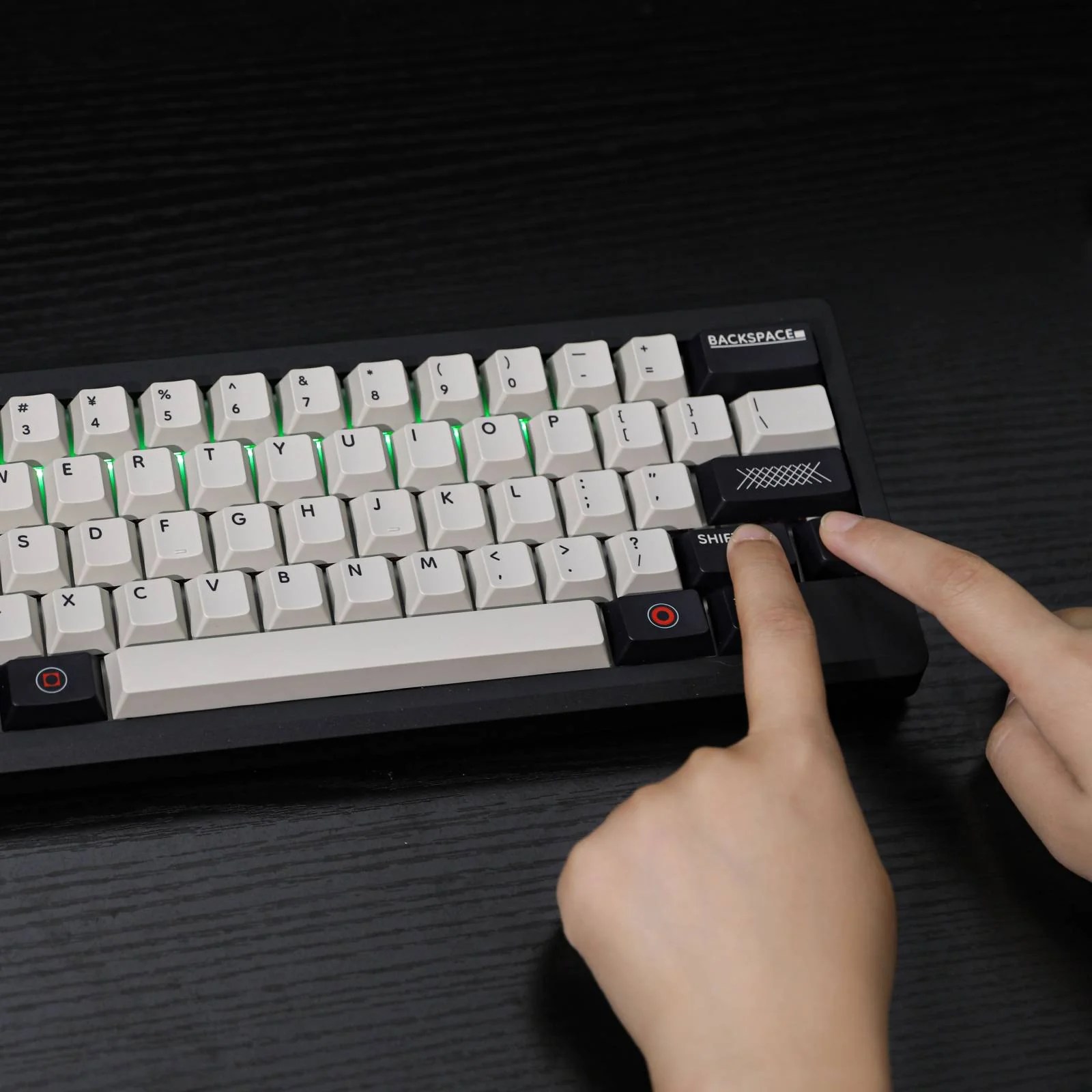
While the keyboard is easy to setup, I recommend keeping the manual. The keyboard comes preprogrammed with various useful commands for controlling RBG, media, check the battery, and open certain programs. The commands are easy to memorize, especially if you only care about the ones you use most often.

I used to only ever use wired connections, but I am converted. I like the lack of clutter and how easy it is to switch between devices. I have the devices connected to my gaming pc and work laptop, and switching between them is as easy as flipping the switch. The switch is easy to reach and responsive without it being too easily flipped.

I used the keyboard for both work and gaming and was impressed by the battery life. With the RGB turned up, I get a solid eight hours of steady heavy use. I can get a longer session with the RGB turned off, but it looks so pretty that, I didn’t want to test it.

The keys feel very good to the touch, and make typing a delight. Gaming with the P75 is a solid experience. The keys are responsive enough for any style of gaming, and they are soft enough that they don’t require hard presses. I am glad this keyboard doesn’t destroy my hands after an intense gaming session.

I get pretty bad repetitive stress disorder, and the wrong keyboard destroys my hands. I typically use a special keyboard to avoid a painful flair-up, so there was some anxiety when I switched to the P75. While it is by no means a true replacement for my original ergonomic setup, I am having trouble finding a reason to switch back. There is still some faint pain that comes after prolonged use, but it isn’t anything unbearable. I’ve had keyboards that leave my hands useless, but P75 is comfortable. That doesn’t mean I won’t try to get one of their split options for comparison, but I think this will remain my daily driver until my hands say otherwise.

The Epomaker P75 is a fantastic mechanical keyboard for anyone looking. Its size, color scheme, and wireless capabilities make it the perfect candidate for any minimalistic setup. If you’re looking for a quality yet budget mechanical keyboard, I can’t recommend this enough.

You can pick up your Epomaker P75 for $99.99 on the official website.