Tag Archives: computer accesories

Exploring the Features of Redragon Wyvern K761: Comfort and Performance

Disclaimer

Redragon sent me the Wyvern K761 Pro to review for my blog. While I am very grateful for the opportunity, I won’t let it sway my opinions. This will be my honest review. Make sure you also check out my review for the Galatin Pro K719 and Antonium K745 Pro mechanical keyboards. I’ll be using my Amazon Affiliate link where possible. It really helps me out if you use it before buying anything.

Table of contents

Unboxing

What’s in the box?

Features

The Redragon Wyvern K761 is a full sized keyboard with the features all gamers need at a price no one else can beat. If you are looking for a reasonable upgrade that looks good and will elevate your game, the Wuvern K761 might be what you’re looking for.

Aesthetic

The Wyvern K761 Pro comes in two colors: Jade Cloud and Abysal Blue. I got mine in Jade Cloud, but the choice depends on what fits your aesthetic better.

Both colors feature the customizable LED screen and a knob for onboard media/volume controls. The round pbt give the keyboard its unique look, while supplying users with a comfortable typing experience. The linear Mint Mambo switches make typing soft, but give it that satisfying thacky sound you want in a mechanical keyboard. Each key is lit with a customizatble RGB that shines through the keycaps for a bit of added flair. The keycaps and switches are easily swappable if you ever decide to change up your aesthetic.

Comfort

The Wyvern Pro has a five layer gasket design that provides enough noise dampening to keep that sweet typing ASMR at a respectable volume. Loud enough for you to enjoy, quite enough for the house to sleep. The adjustable kickstands give users the option to find the ideal typing angle, although the default should be good enough for most users. The round PBT give the keyboard its soft and satisfying feel, and the mint mambo switches give it its comfort.

Gimmicks

The Wyvern Pro features a customizable LED screen. It displays useful information like battery life, date, and time, but can also be customized to feature one of your favorite gifs. This can be easily customized through the official software found on the product page. The keyboard also has a useful dial for volume and media controls.

Utility

This budget mechanical keyboard has a respectable amount of utility. Each of the 104 keys can be rebound or reprogrammed with useful macros through the official software. The software can also change up the RGB for some added customization. The fast/low latency wireless connections make it ideal for the gamer who wants to reduce that wire clutter, and the respectable 4000 mAh battery keeps that wire away unless you really need it. Users can switch between connections easily with the the onboard switch, and there is a mac switch for those who need it. The K761 bundles a lot of value in a very affordable package.

Sound Test

Review

The Wyvern K761 gives a very respectable performance at an unbeatable price. If you are looking for a full sized keyboard that will handle most workloads, you can count on the K761.

Quality

I was a little disappointed at first. My mailman played soccer with the box, leaving it mangled and its contents out of place. All of the contents spilled out when I did my opening, and I was worried they keyboard wasn’t going to work. At this price point, they tend to break with the slightest pressure. The keyboard and the contents looked fine. The keyboard is well machined, although cheap feeling and plasticky and the extra switches although scattered, work. After a week of using the keyboard, I can attest that the quality is solid. Everything works despite the lack of care for my postman.

Aesthetic

I got the keyboard in Jade Cloud because I like the fun mint green color scheme. In person, the colors are good, but the font is a little hard to read with my dyslexia. It isn’t a huge problem, but the font looks cheap with the lights off. With the lights on, the keyboard looks a lot cooler, but there are some letters that look strange. For $75 tho, they look fine and will look cool against any setup. You can always upgrade them down the line if you really want to.

Comfort

I was not expecting the Wyvern Pro to be as comfortable as it is. It took no time to get used to this keyboard, and I could use it all day without issue. The rounded keycaps give the keyboard a satisfying and comfortable feel. The mint mambo switches are very soft and they give off the perfect typing ASMR. I love how this keyboard sounds, but it is a little loud. I had to be careful or else I would wake up the baby in the other room. However, if you are looking for a keyboard with that sweet thacky goodness, the Wyvern K761 is perfection!

Performance

I am always worried when testing these cheaper keyboards because there is always a chance they come defective. I’ve gotten my share of defective ones. The K761 had no issues out of the box, nor did it show signs of failing. I was able to do some meaningful raids and dailies in my MMO grind without issue, and it handled my day to day just the same. The battery is incredible! I got about 30 hours on a single charge, and that is with all the lights on.

Gimmick

The more keyboards I get with LED screens, the more I appreciate them. I like being able to see how much battery I have left on a charge, but other than that, its useless. Setting up the GIF is easy, and it adds a little flare to your setup. I usually forget about the GIF after setting it, but its nice if you like to theme your aesthetic. The volume dial is fantastic. It has a smooth and responsive glide, and it lets me pause my media (even if its in the background).

Conclusion

If you only have $70 to upgrade your setup, the Wyvern K761 will get the job done. This is a good looking mechanical keyboard with enough utility packed into a respectable package. You can buy a more impressive looking keyboard at this price point, but you will be losing out on the comfort and performance. I definitely recommend it.

You can pick up the WYvern K761 on the official Redragon store, or through Amazon using my Affiliate link.

Is the Hack 59 Keyboard Right for You? Key Features Explored

Disclaimer

Epomoker sent me the Hack 59 mechanical keyboard to review for my blog. While I am very grateful for the opportunity, I won’t let it sway my opinions. This will be my honest review. make sure you also check out my other Epomaker reviews to find the perfect keyboard for your setup.

What’s in the Box?

  • Hack 59 Mechanical Keyboard
  • USB-C to USB-A charging cable
  • Key and Switch Puller Tool
  • 2.4 GHz Wireless Dongle
  • User Instructions

Features

The Hack 59 is the mechanical keyboard for the enthusiast who wants to shrink their footprint. This stylish mini-keyboard only has 59 keys with QMK and VIA support so you can make the most of every key. Ramapping is extremely easy, and turns it into a formidable powerhouse. This is a wireless keyboard with bluetooth 5 compatibility with up to 3 different devices, and a wireless 2.4 GHz dongle for those who need it. Its incredible 3000 mAh means less time with wires on your desk for a truelly minimalist experience, but the wired connection is fast and reliable when its needed. All the keys and switches are replaceable, but its unique aesthetic is going to be hard to give up. This is a well machined keyboard with soft RBG lighting that will be a great fit for many setups.

Sound Test

Review

Out of the box, the Hack 59 is an impressive little keyboard with a good amount of potential. I like the aesthetic and unique keys. I also like that it comes with the high quality and care I’ve come to expect from Epomaker. The machining is nice, the design is tight, and printing is clear and visible. I love the included slot for the dongle.

As for its performance, the keyboard is solid with a few modifications. The keyboard does make its noise, but it is a more subtle and soothing clacking. I didn’t notice any latency in any of my games, but the tight design required some getting used to. The battery is solid and I was getting about 10 hours on a single charge, with the the RGB on. It can be switched off for a longer session, but I like epomaker’s RGB lighting.

The biggest issue most people are going to have with this keyboard is with its form factor design. The keyboard has some handy built in shortcuts, and users can easily program more or remap keys through GMK and VIA, but I missed having the arrow keys and control handy. The size was an issue for me because I am too big for the keyboard. I felt like I had to bunch up to use the keyboard which caused some discomfort, and my fat clumsy hands was always pressing the wrong keys. I would erase entire sections of my review with a clumsy mistake, and it made the experience frustrating. This issue is strictly user error and physical limitations, so your millage will vary.

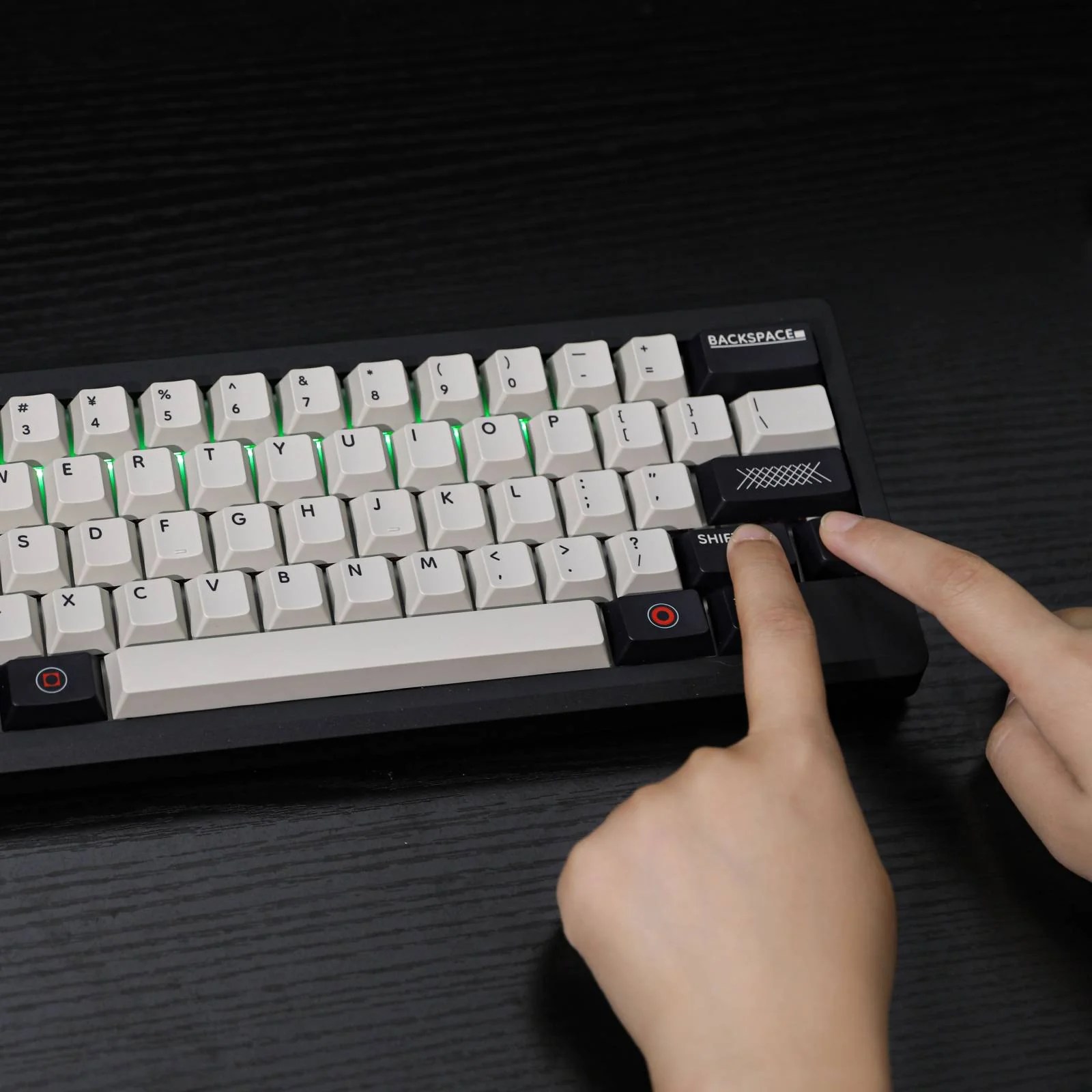
So is the Hack 59 a good keyboard? It depends. If you’re big with wide shoulders and big hands, its not. The size takes away any ergonomic design and it will get uncomfortable. I require special ergonomics for my hands to work, and the size made it hard to use. If you are a size that fits this keyboard, it is a solid device with a bit of tinkering. The only real hurdle I see is knowing if the keyboard is right size, and liking the aesthetic.

If you like the design and don’t mind the 302.7x40x118.5MM dimensions, you can pick up the Hack 59 on the official Epomaker site.

User Guide