Tag Archives: tech

Why the K745 Pro is Your Next Budget-Friendly Mechanical Keyboard

Disclaimer

Redragon sent me the Antonium K745 Pro mechanical keyboard to review for my blog. While I am very grateful for the opportunity, I won’t let it sway my opinions. This will be my honest review. I will be using my Amazon Affiliate link where possible. It really helps me out if you click it before you buy anything.

Table of contents

What’s in the box?

  • K745 Pro Mechanical Keyboard
  • Wireless Receiver
  • USB-C to USB-A Cable
  • Stickers
  • 4 Extra Switches
  • User Manual
  • Key/Switch Puller

Features

The K745 Pro is a the affordable fullsized keyboard that is loaded with the features gamers need. This good looking keyboard comes in two beautiful color shemes: Purple and Blue. I got my keyboard in purple because it is my favorite color. I got the wireless keyboard, but you can also opt for the wired version if you want to prioritize performance.

Design

The K745 Pro comes with 108 keys, and an additional four useful macros for additional utility. Each key lights up with programmable southfacing RGB leds. The specialized gasket design gives the keyboard enough sound dampening to allow a healthy amount of typing ASMR. The K745 is built with quality, with enough features to make it a strong contender for your next setup.

Comfort

While other cheap keyboards skimp on quality for affordability, Redragon innovates the space with affordability that won’t destroy your hands. The custom Mint Mambo switches boast the perfect blend of performance and comfort, while the keyboards natural typing angle is perfect for most users. Those who prefer a steeper angle like I do will appreciate the two additional height adjustments. This is an ergonomic keyboard with the performance to back it up.

Utility

Users will appreciate the high speed wireless connections with the peace of mind that the 4000 mAh battery gives them. The included high quality USB-C cable is ready to support players with an even faster connection. Each of the keys can be easily rebound or programed with useful macros to upgrade your productivity. While the keyboard is incredibly easy to remap, the K745 comes with four useful macro keys out of the box.

Included macros:

  • Mute
  • Launch Calculator
  • Minimize/Maximize all Windows
  • Lock Computer

Keyboard sound

Review

If you are looking for an affordable full-sized keyboard for gaming, it doesn’t get much better than the Redragon K745 Pro. This is easily one of the best affordable keyboards I’ve gotten to try. This keyboard is comfortable, with enough quality and performance to make it worth the money.

Quality

I was impressed by the look of the keyboard out of the box. At this price point, you always run the risk of pulling a cheap, toy looking keyboard, but the K745 has solid construction. It is light, so it makes it nice to move around, but I wouldn’t call it portable. The legs swivel nicely and the typing sound is very good. My only complaint is that the lettering already looks faded. It looks like it will rub off after a bit of use, although none of it did during my testing.

Design

I love the purple scheme of the keyboard. Purple is my favorite color, so I am very happy with my choice. I am a little disappointed by the lettering. The letters looks faded and it feels like they will rub off with a bit of use. None of it did during my testing, but I am not a fan. The font is also a bit hard to read. This might be a personal issue, but the font is not good for my dyslexia. It isn’t unusable, but I’d probably swap them out for different keycaps if it became my main keyboard.

Comfort

I was very surprised by how comfortable the K745 is. The keys have enough spacing for my big hands, and the switches are soft enough to avoid any fatigue. I’ve tried other keyboards at this price point that have destroyed my hands, but I had no issues with the K745. I had a few intense gaming sessions and not only did the K745 meet my expectations, they didn’t tire me out. The default typing angle is solid, but I like that it supports my preferred angle. I like my keyboards a little high. As an added bonus, the keyboard has a fantastic typing sound without being disruptive. I could use this next to my sleeping wife and baby without issue.

Performance

I did not do any reprogramming, but it is very easy to do with the official software. Everything connected easily and quickly, and I had no issues after initial setup. All the keys were responsive without any noticeable latency. The battery was very good and I got a good 8 hours of continuous work with the RGB on. My favorite aspect of this keyboard is the included macros. I usually forget about a keyboard’s gimmicks shortly after opening, but I had a lot of use for the included macros. They were very handy for my workflow, but they can be reprogrammed to maximize utility.

Conclusion

The Redragon K745 Pro is a fantastic affordable keyboard for the gamer that needs to perform at their next important team fight, but needs to be conscious of their budget. I am very satisfied with how good this keyboard is, especially at $60. I recomend it to anyone looking for a full sized keyboard.

You can pick up your Redragon K745 from the official Redragon store, or through Amazon using my Affiliate link.

Cute Cat-Themed Meow Pudding Keycaps Review

Disclaimer

KiiBOOM sent me a free set of the Meow Pudding Keycaps to review for my blog. While I am very grateful for the opportunity, I won’t let it sway my opinion. This will be my honest review. Make sure you also check out my review for the Moonshadow V2 mechanical keyboard and Cybrix29 keypad.

Table of contents

What’s in the box?

  • 134 Keycap set

Features

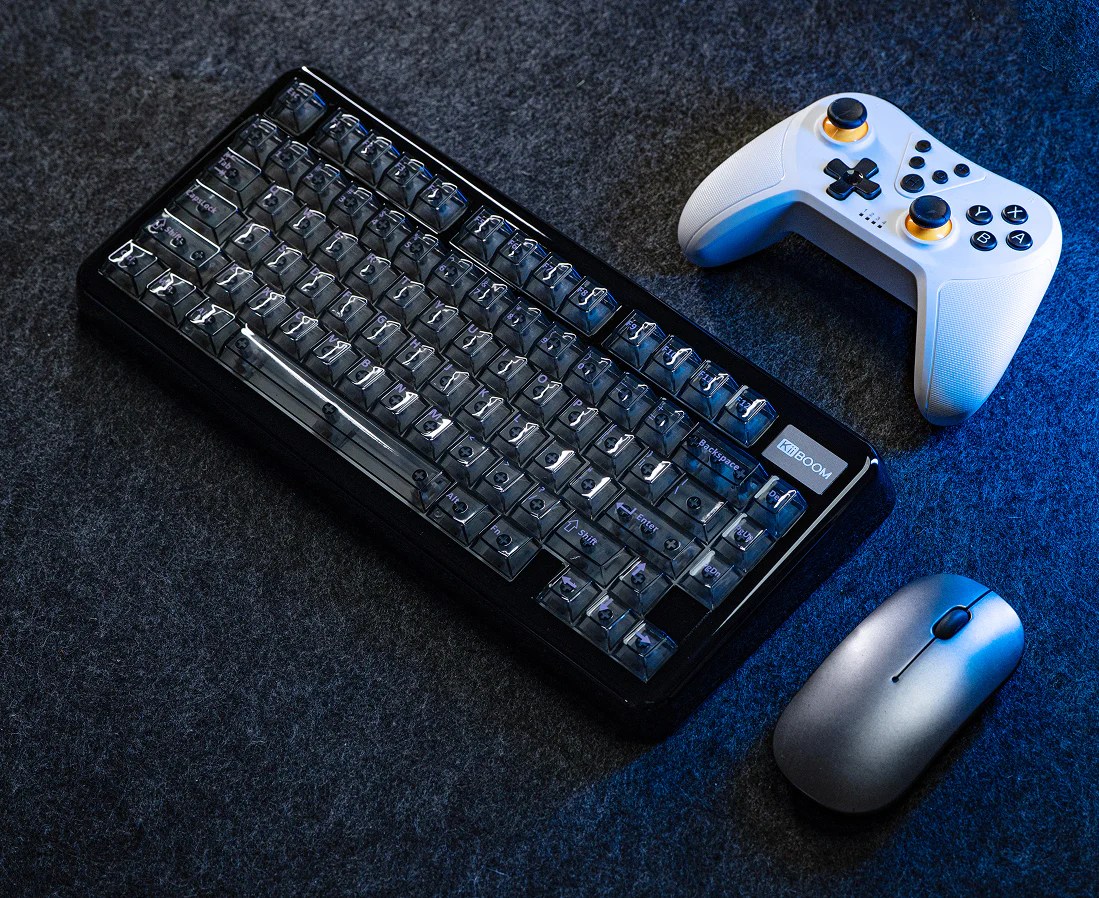
The Meow Pudding keycaps are a 134 MAO profile set of the most adorable keycaps you can install on your keyboard. The set is compatible with 60%, 65%, 75%, TKL, 96% and full-sized keyboards. The cute cat theme is unique and flavorful, and perfect for you cat lovers who are looking for a comfy aesthetic.

Design

If you love cute cats, it doesn’t get cuter than the KiiBOOM Meow Pudding keycap set. Each keycap features a unique and adorable cat design. The set includes a few extra keys for some added customization. These colorful keycaps have been treated to avoid any fading or discoloration, even for those who like to mash their keys furiously. For added flare, the key caps are transparent. While they look cute out of the box, they are even cuter with the light show.

Comfort

The Meow Pudding keycaps have been designed with more than just a cute aesthetic in mind. The MAO profile caps have been engineered to reduce finger fatigue without affecting any of the accuracy. The matte finish give the caps a soft, non-slip feel that makes typing as delightful as the keycaps.

The swap

Review

The KiiBOOM Meow Pudding keycaps are by my favorite set that I have ever received. I have never been so excited for a review product until I got this request. If you’ve seen the pictures, they really don’t do the set any justice. This is the cutest set you should always say yes to.

Quality

I can always count on KiiBOOM to deliver cute, high-quality products at a reasonable price. The Meow Pudding keycaps do not disappoint. The keycaps are well machined, each piece carefully and perfectly machined. The colors are vibrant and the images and letters are clear and legible. The plastic feels soft and smooth like candy rather than the cheap plastic that cuts you.

Design

The Meow Pudding is without a doubt the cutest KiiBOOM keycap set. The amount of work that goes into the flavor and aesthetic is astounding. I also like that there is room for some customization so I can try to be a bit more different. The only only bad thing about the design is how much my daughter loves it. She essentially stole this keyboard from me, and I have keep stealing it back to do my testing. While it will be hers in the end, I will have trouble letting this one go because it is so darn cute.

Comfort

The keycaps are smooth, with a slight texture on the face that give the keyboard its unique typing experience. The MAO profile keycaps do take some getting used to, but once I got used to them, it is going to be hard to go back. I like how they sort of hug my fingertips with each press, and my hands do feel a little less stressed as a result. The smooth matte texture also make the experience delightful. It feels like like I am plugging away at glass. As an added bonus, they gave my keyboard some added thac for some very satisfying typing ASMR.

Conclusion

If you like cute cat themes, vibrant pastells, and a unique typing experience, the KiiBOOM Meow Pudding keycaps are fantastic. They are made with the high standards I’ve come to expect from KiiBOOM. I am a huge fan and my only complaint is that I have to give them up for my next review.

You can pick up the Meow Pudding keycaps from the official KiiBOOM store.

Best Compact Laptop Stand for Travel

Disclaimer

HUANUO sent me the Magno ModuleMaster Laptop Stand to review for my blog. While I am very grateful for the opportunity, I won’t let it sway my opinion. This will be my honest review. Make sure you also check out my review for the Nitroglide Dual Monitor Mount. I’ll be using my Amazon Affiliate link. It really helps me out if you click on it before you buy anything.

Table of contents

What’s in the box?

  • Magnetic Tray
  • Stand
  • Phone Stand
  • Wrist Rest
  • Travel Bag

Features

The HUANUO Magno magnetic laptop stand is your next staple accesory. Whether you need something to help you work on your plane ride or need a little more height, the Magno is here to solve it all.

Design

The Magno is a light weight, high quality stand that has been design to be light enough for travel and sturdy enough to keep your devices safe. The fake leather gives it the elegant and the integrated magnets keep your devices from moving. Best of all, the Magno is loaded with utility. Whether you are using it for your laptop, tablet, or your travel work station, you can count on the Huano’s proven quality.

Travel and storage

What makes the Magno laptop stand unique is its light weight and compact design. When you are done using it, it stacks flat and neat for easy storage. This is ideal for those who do a lot of traveling, or those who like to live with very little clutter.

Stats

The Magno is designed for 10-17 inch laptops and can hold up to 11 lbs. The stand can can raise your laptop up by 8, 18, 22, and 30 degrees. This is very handy for those who like a deeper typing angle, need a bit more airflow, or just need a more ergonomic setup. The tray uses magnets to not only hold its pieces together, but it is ready to hold your devices. The magnets are strong enough to hold onto your devices. (I’ve only tested it with apple products.

Review

I didn’t know how much I needed the Magno laptop stand until I got my hands on it. If you are looking for a laptop stand, don’t waste your money on those crappy ones with the fans. Spend your money on the only laptop stand you will ever need. This has easily been my favorite product to review because of how useful and handy it has been.

Quality

This is the second HUANUO product I’ve reviewed, the first being the high quality monitor stand that I love, and I continue to be impressed by the quality of their products. The Magno looks great out of the box. The stitching is nice and the pleather looks like it can take a beating. The magnets are very strong, and all the pieces fold and work as they should. I’ve been using the stand for about two weeks and haven’t noticed any creasing and the material still looks very nice. I store it nightly and take it to work when I go to the office.

The Size

The stand’s size is a huge reason why I love the Magno so much. It folds up super thin, and the magnets help keep all the pieces together. I love that it takes up no room in my bag, and I don’t feel a difference carrying it around. I can just as easily store it on my desk without cluttering up my space and that is an invaluable feature. This thing is perfect for travel, but just as useful for the home.

Utility

I love how much utility is packed in such a compact package. It held my iPad securely for some very meaningful Genshin Impact sessions. The magnets hold all my accessories and help me keep organized. The magnets are pretty strong. They mess with the rotation of the fans, so be careful on how you place your computer.

I also used it as a lapdesk. I was just working on my lap before, but I can honestly say that this is a game changer. It kept my laptop from getting hot while giving me a more comfortable typing experience. Most importantly is its usefulness as a laptop stand. I use my laptop as a second monitor at work, and being able to have my laptop at a better viewing angle saved me some neck ache.

Personal

HUANUO seems to send me items when I need them the most. When I was moving my desk, they sent me a high quality monitor arm to help clean up my set up. When they sent this laptop stand, I got an injury that had me in bed for most of my testing. The Magno was a godsend because of how comfortable it made working from the comfort of my bed. It is part of the reason I was able to recover so quickly because I could rest while doing work.

When I finally could sit at my desk, I was very happy to have a more ergonomic setup. Having my laptop sit at a more ergonomic viewing angle is a game changer. I was using an old deckbox before the Magno laptop stand and won’t be going back.

Conclusion

If you are looking for your a high quality laptop/tablet stand, get the HUANUO Magno. This is a high quality product with all of the utility and none of the bulk. It looks great, feels great, and best of all, takes up no space. You can pick up the HUANUO Magno on Amazon through my affiliate link.

G84 Pro Mechanical Keyboard: Comfort Meets Performance

Disclaimer

Epomaker sent me the G84 Pro mechanical keyboard to review for my blog. While I am very grateful for the opportunity, I won’t let it sway my opinions. This will be my honest review. Make sure you also check out my reviews for the TH33 keypad and RT85 keyboard. I will also be using my Amazon Affiliate link where possible. It really helps me out if you use it before buying anything.

Table of Contents

What’s in the box?

Someone stole my camera and I lost my box opening video for this keyboard
  • G84 Pro Mechanical Keyboard
  • USB-C to USB-A Braided Cable
  • Wireless Dongle
  • Key/Switch Puller
  • 2 Additional Switches
  • User Manual

Features

The Epomaker G84 mechanical keyboard is possibly the most unique and feature packed keyboard you can add to your setup. It has a comfortable design without sacrificing any of its performance.

Design

The G84 Pro sports a modern design that comes with the Creamy Jade Switches. This 80% keyboard compacts its 81 keys in a way that is functional, comfortable, and saves precious desk space. The soft, non-stick silicon keys give it a cozy vibe, especially when you turn on the RGB lighting effects. The on screen keyboard is customizable for those who need that extra flare. Additionally, the unique placement of the volume and media controls make the keyboard stand out while giving users easy access. Best of all, the G84 gives that soft creamy sound you’ve been craving for in a mechanical keyboard.

Comfort

The G84 Pro comes sculpted with the ideal typing angle for most users, but offers a bit of customization for those like me who prefer something a little higher. The soft silicon keycaps not only look cool, but give users a soft keystroke ideal for prolonged use. While the layout may be a bit compact, it does not feel cramped.

Performance

If you are looking for a cool looking keyboard that can take on any task, the G84 Pro goes above and beyond. The impressive 8000mah keyboard boasts up to 42 hours of uninterrupted use with both the RGB and screen on, and up to 200 hours with everything off. That means users can enjoy a fast, low latency connections when they need it the most.

Sound Test

Review

This is the coolest keyboard I’ve gotten to try, and the perfect way to start my year. The Epomaker G84 Pro is the perfect upgrade for any setup, especially for those looking to create a cool cozy aesthetic.

Quality

The G84 Pro is impressive out of the box. The build is solid and clean, and the pieces feel high quality. The keycaps are soft, but they feel sturdy enough to survive some intense button mashing. They survived some very sweaty team fights. The G84 Pro looks like a more expensive keyboard out of the box, and it is quite comfortable once you get going.

Comfort

This is by far the most comfortable mechanical keyboard I have ever tried. The default typing angle is fine out of the box, but I prefer a taller angle. The keyboard looks compact, but it has enough space where my hands don’t feel cramped. All the keys are easily in reach which makes it perfect for gaming. I did a good amount of grinding in GW2.

The keycaps and switches is what makes this keyboard perfect. The switches offer the creamiest soothing sound and the keycaps are incredibly soft. The silicon is firm enough to perform well at any task but soft enough to give your hands some much needed rest. Usually it takes me a couple of days to get used to a new keyboard, but the transition was instantaneous. I noticed no fatigue from my longer sessions, and that alone makes this keyboard worth it.

Performance

They keyboard worked well out of the box. I didn’t need to replace any parts or do any trouble shooting. I noticed no ghosting or latency, and it was able to handle my most competitive games (GW2). Switching between connections is very easy, especially since it can handle multiple Bluetooth devices. If you are looking for a cool looking keyboard that works, get the G84 Pro.

The bad

I think the silicon keycaps are an acquired taste. Without the RGB, the keyboard looks interesting and elegant. When you turn the keyboard on, the light show sort of ruins the image. It is a little too much of a rave for my taste and it clashes with my aesthetic. It isn’t a bad look, I am just not a fan of the lighting effects.

The gimmick

The G84 Pro has three gimmicks: the silicon keycaps, the screen, and the volume/media controls. I’ve already said my piece about the keycaps. Screens on keyboards are cool for the first few moments before the novelty wears off. I had fun picking a gif to customize the look of the keyboard, but I don’t look down enough at my keyboard for it to be the reason to buy the keyboard. The volume control is very cool and easily my favorite feature. It is easy to reach and I like that it doesn’t break up the aesthetic like your standard nob. Clicking the side of the keyboard to pause a video felt right. All in all, the G84 Pro wastes no space on extras. All the features feel right at home.

Conclusion

If you are looking for a cool looking keyboard and don’t mind the rubber look of the keycaps. The look isn’t all too bad especially since you can turn off the rgb or customize the effects. What I love the most is its unique and efficient design. The G84 Pro is easily my favorite keyboard because it is incredibly comfortable and it has all the keys I need to play Guild Wars 2.

‘You can pick up your very own G84 Pro from the official Epomaker store or on Amazon through my affiliate link.

Unboxing the Epomaker TH33: Features & Performance

Disclaimer

Epomaker sent me the TH33 keypad for free to review for my blog. While I am very grateful for the opportunity, I won’t let it sway my opinions. This will be my honest review. Make sure you also check out my reviews for the Epomaker RT85 and F75 keyboards. I will be using my Amazon Affiliate link where possible. It really helps me out if you use it before buying anything.

Table of Contents

What’s in the box?

  • TH33 Wireless Keypad
  • 2.4 Ghz Wireless Dongle
  • USB-C to USB-A Braided Cable
  • Key/Switch Puller
  • Backspace Keycap
  • 2 Additional Switches
  • User Manual

Features

The Epomaker TH33 keypad is the keypad you need when you need a few extra keys to get the job done. Whether you need it for some serious accounting or a few extra macros, this little keycap is a promising addition to any setup.

Design

The TH33 keypad has a simple and clean design to fit most perfessional settings, but each of the 33 keys and switches are easily hotswappable to allow some personlization. The light weight design and sturdy build make it ideal for travel without feeling or looking cheap. The look wouldn’t be complete without that soft south facing RGB that gives the keypad some flare without being too distracting. It can be shutoff if you are only in it for the function.

Comfort

The TH33 boasts an ergonomic design, ready for the most serious number crunching. The native 6 degree typing angle can be adjusted to create the perfect fit and the keycaps have been contoured for the ideal typing feel. The TH33 features a gasket design the creates the perfect creamy sound for those who need a bit of typing ASMR while they work.

Performance

The TH33 houses an impressive 2000mAh battery for those long work sessions. The boasted low latency and high polling rate make it ideal for any workflow. Most importantly, the each key can be easily reprogrammed through VIA for an endless amount of utility. Whether you need an accounting tool or a dedicated macropad, the TH33 is ready for the assignment.

Review

If you are looking for a keypad with extra room for activities, you need the TH33. This light weight, handy tool can upgrade your productivity without taking up too much of your precious desktop real estate.

Quality

I was a little disappointing when I first opened the box because the keypad does look like plastic. It doesn’t look bad, but it does look like a toy. On further inspection, I was relieved to find it to be a high quality accessory. While the light weight keypad does feel like plastic, everything has been well machined. At least, it doesn’t look or feel like it will fade after a few uses.

Comfort

The TH33 is fine out the box. The default typing angle allows for the hand to sit in a more natural position, and the option to adjust the height makes it perfect for most hands. I prefer a taller angle and found it a very comfortable solution. The switches are soft and responsive. The keycaps look cheap, but feel fine. I appreciate that the have been contoured to fit the finger to make each press delightful and precise. The TH33 is a comfortable and powerful keypad.

Performance

The TH33 met my expectations for a key pad. I appreciate the long battery life. I’ve been using it for two weeks now and haven’t had to charge it, even with the RBG on. I would say for those who need it more regularly, the keyboard will get at least 10 hours of continuous use, but you can always turn off the RGB for a longer session if needed. The keypad is as responsive as needed. I didn’t notice any latency or ghosting in my two weeks.

My only issue with the keypad is that it does feel like it has a few extraneous buttons. Having volume controls is fantastic, but things like the arrow keys feel unnecessary. Unless you don’t have them on your laptop, you are getting a few extra buttons that you might not use unless you reprogram the keypad. Luckily, reprogramming the TH33 through VIA is very easy. You can easily add macros or remap keys for functions you actually need. This is the keypad you get when you either need a few extra macros or you need a d macropad that is simple and doesn’t take too much space.

Conclusion

If you need something a little bigger than your typical numbpad, the TH33 is great option. It is simple, clean, and quality enough to survive some travel. This is the keypad you get only if you need the extra keys, otherwise, you can make due with the Epomaker EK21. I like the keypad and even got some use by creating a few useful shortcuts for my data entry, but I wouldn’t call it an essential part of my kit. It does make my workflow a bit more convenient and that alone has some value.

If you need it, you can pick up the Epomaker TH33 keypad on the official Epomaker store, or on Amazon through my affiliate link.

Upgrade Your Keyboard: Ydmochi Sweet Dango Keycaps

Disclaimer

KiiBOOM sent me the Ydmochi Sweet Dango Dream Keycap Set for free to review for my blog. While I am very grateful for the opportunity, I won’t let it sway my opinions. This will be my honest review. Make sure you also check out my reviews for the Y2k and Sprout Picnic keycaps. I’ll be using my Amazon Affiliate link where possible. It really helps me out if you use it before you buy anything.

Table of Contents

What’s in the box?

  • 142 Keys compatible with 60%, 65%, 75%, TKL, & Full-sized keyboards

Opening

Features

KiiBoom releases another adorable set, but this time its mochi flavored. These high quality keycaps are compatible with mot cherry profile switches, and are ready to upgrade your boring old aesthetic.

Quality

Milled from high quality plastic and dyed with the upmost care, these caps don’t only look good but promise to last you a lot longer than your keyboard. They have been treated to be heat and abrasion resistant to endure the sweatiest of team fights.

Comfort

The Ydmochi Dango Dreams keycap set has been design to not only cute, but for comfort. The rounded design conforms with the shape of your fingers for a more ergonomic experience. The rows have been contoured to fit the hands natural range of motion to eliminate some fatigue. The soft plastic makes each press a cozy delight.

Design

The keycap set features vibrant pastel theme that is cute without being distracting. Users get enough keys to allow some reasonable customization. The numbered/lettered keys feature a minimalist design for those who prefer that aesthetic, but the KiiBOOM includes some adorable mochi themed images for a little flavor.

Review

The KiiBOOM x Ydmochi Sweet Dango keycaps are a fantastic upgrade to any aesthetic. These high quality caps are not only adorable, they are comfortably functional. If you are aiming for a minimalist setup and are a fan of mochi, you need to do yourself a favor and buy this set.

Quality

I have yet to get bad quality products from KiiBOOM. Even the keyboard that my mailman clearly played soccer worked with minimal tinkering. If you are looking for a quality budget option for your next keyboard, you can’t go wrong with KiiBOOM. If you are looking for cute keycaps to change up your aesthetic, KiiBOOM is the way.

The Ydmochi caps are machined and dyed with the KiiBOOM quality I am familiar with. The keycaps are clean and the printing is high quality. These are not smudging or fading any time soon. Most importantly, they fit the switches perfectly. With cheaper keycaps, you risk them not fitting right or staying on properly, but I am not worried. These feel like they will last me a long time, but you might change them out for one of the other cute sets. The Doughfluff keycaps are personal favorite.

Comfort

The Ydmochi keycaps are as soft as they look. I have used cheap keycaps that feel like they cut at you with every keypress, but Ydmochi feels like you’re pressing on gummy candy. The contoured designed allows for the ideal motion to avoid any strain from prolongued use. They didn’t trigger my repetitive stress injury, but note that I also have a very ergonomic position for my keyboards.

Design

I am a huge fan of the set’s minimilistic design. The font used for the keys are fun without being detracting, and the pictures are so cute. I like that I have a few options for customization so I can make the keyboard at least a little more unique. If you like mochi and want to keep your aesthetic clean and simple, these are a fantastic set of keycaps.

Conclusion

If you are looking for keycaps, KiiBOOM has a fantastic selection of cute, high quality keycaps to upgrade any aesthetic. If you are looking for minimilist that wants a splash of color, you have to get the Ydmochi keycaps. You can pick up your set on the official KiiBOOM store or on Amazon through my affiliate link. It really helps me out if you use my link before buying anything.

Is the Mechlands Vibe108 the Best Budget Mechanical Keyboard?

Disclaimer

Mechlands sent me the Vibe108 mechanical keyboard for free to review for my blog. While I am very grateful for the opportunity, I won’t let it sway my opinions. This will be my honest review. Make sure you also check out my reviews for the Vibe99 and the the M75 keyboards. I’ll also be using my affiliate link where possible.

Table of Contents

What’s in the box?

  • Vibe108 Mechanical Keyboard
  • USB-C to USB-A braided Cable
  • 2.4Ghz Dongle
  • Key/Switch Puller
  • User Manual

Features

If you are looking for your first mechanical keyboard, it might be worth looking into the The Mechlands Vibe108. The Vibe108 is loaded with the features you need, and a few you didn’t know you needed.

Aesthetic

The Vibe108 comes in white with a soft pastel blue accent to give it that cozy feel you want on your table. Each 104 key is lit up by soft south-facing RBG. It can’t be a gaming keyboard without some RGB. It comes with a few preprogrammed profiles for added customization, but you can turn it off when you don’t want to have the light show. I am a big fan of the soft strop that lights up the sides of the board.

Gimick

The Vibe108 is a full-sized keyboard with all the keys you need for your workflow. You get a number pad, a function bar, and media controls. The Vibe108 features easily accessible media buttons and a dial for volume control. You don’t know how nice it is too have media control until you have them.

Comfort

The Vibe108 mechanical keyboard comes out of the box with a comfortable typing angle, but offers adjustable heights for those who need it. I like my keyboards at the highest setting. Whether you are using the Mechlands cream mint switches for the typing asmr or the vela silent switches for a bit more stealth, you can be assured you are getting a comfortable yet satisfying typing experience.

Performance

At this price point, the Vibe108 promises peak performance at a very reasonable price. Especially for the price point.

The keyboards switches offer fast and accurate imputs with no ghosting or noticeable latency. Users can enjoy a fast connection through the supported wired, wireless, and Bluetooth connections. With an impressive 10,000mAh, users can enjoy long interrupted workflow hours without having to plug back in. Enjoy up to 200 hours of use without any of the backlights on a single charge!

Most importantly, the keyboard can be customized with the macros and rebinds you need in your life.

Sound Test

Review

Out of all the Mechlands keyboards I have tried, the Vibe108 with the silent switches has been my favorite. If you are looking for a full-sized keyboard to upgrade your current set-up, the Mechlands Vibe108 is the perfect place to start.

Quality

The quality of Mechlands keyboards tends to fluctuate, but they really stepped up their game with the Vibe 108. The gasket is well machined and light, and the keys looks like they can take a pounding. They still feel cheap if you take the time to really examine them (or know what nice keycaps feel like), but most people aren’t going to notice. Out of the box, this keyboard looks and feels like it should be worth a bit more money.

Comfort

The Vibe108 is Mechlands’ most comfortable keyboard. It is a good size that allows enough spacing for my hands to sit in a comfortable position. The typing angle out of the box is good enough for most users, and the extra height is perfect for me.

I got the silent switches. While I do like having a more thacky sound to my typing, my wife really appreciates the silence. These switches are incredibly quiet while still offering a satisfying typing experience. Each press is soft, with enough feedback to feel good without causing any fatigue. I daily drove this keyboard longer than my usual test period because of how comfortable it is to use. While it isn’t marketed as an ergonomic solution, it never triggered my repetitive stress injury and that is a huge win for me.

Performance

I got about 10 hours of use before needing to charge the keyboard, but I don’t think I ever charged it all the way. There was no noticeable latency and gaming was comfortable. I was able do a good amount of grinding in Guild Wars 2 without issue.

Conclusion

The Vibe108 is my favorite Mechlands keyboard. I will be recommending it to anyone who needs a full sized keyboard but doesn’t want to spend much money. This is a very pretty keyboard the is the perfect size for my workflow with the customization I need to make it future proof. If you are looking for a fun way to upgrade your aesthetic, check out the Vibe108 mechanical keyboard.

You can pick up the Vibe108 on the official Mechlands store using my affiliate link.

KiiBOOM Moonshadow V2 Review: The Ultimate Mechanical Keyboard

Disclaimer

KiiBOOM sent me the Moonshadow V2 for free to review for my blog, but this time in pink. While I am very grateful for the opportunity, I won’t let it sway my opinions. This will be my honest review. Make sure you also check out my reviews for the Cibrix29 Keypad or the very cute Y2K Keycaps. I will also be using my Amazon Affiliate link where possible. It really helps me out if you use it to buy anything.

Table of Contents

What’s in the Box?

  • KiiBOOM Moonshadow V2
  • USB-C to USB-A Cable
  • 2.4gHz Wireless Dongle
  • Key/Switch Puller
  • Manual

Features

The Moonshadow returns with notable improvements on the popular classic design to that make it the perfect upgrade for any set up. Its sleek modern design, high-functioning utility and performance promise the perfect typing experience.

Design

The Moonshadow V2 is a prime example of KiiBOOM’s masterful craftsmanship. It’s sturdy aluminum alloy frame is well machined to not only look good, but survive the most intense of team fights. The Moonshadow is available in three colors: Pink, Black, and Silver.

The V2 is a 75% keyboard with 81 keys and a nob. Each key features soft south-facing RGB for some added flare. The gasket design generates the perfect typing sound while the switches promise users the comfortable typing experience they’ve been looking for.

Utility

The Moonshadow V2 is QMK and VIA compatitable, meaning each key and the nob can be reconfigured for the ideal workflow. Weather it be programing shortcuts, rebinding keys, or adding some useful macros, the Moonshadow is a very good looking keyboard ready to max out your efficiency.

Performance

The V2 is ready to level up your gaming experience with its promised low latency connections:

  • 7.2ms on wired
  • 9ms on wireless 2.4GHz
  • 20ms on Bluetooth 5.0

Those who want less wire clutter will appreciate the respectable 6000 mAh battery. Those who live in front of the TV will love Anti-Ghosting and ideal poling rate. If you are looking for a keyboard that can keep up with the demands of this face paced world, you will find few better than the KiiBOOM Moonshadow V2.

Review

I’ve reviewed the KiiBOOM Moonshadow V2 before. I loved it so much I got it in a second color. If you are looking for the perfect keyboard to upgrade your setup or as a gift for this holiday season, pick up the Moonshadow V2

Quality

KiiBOOM consistantly delivers high quality keyboards and accessories at a very reasonable price point. My keyboard was kicked around by my mail man and came in pieces. I was able to put it back together and noticed no performance dips. Not only is this the ideal keyboard for a tinkerer, but it speaks highly of the high quality production that went into Moonshadow V2. Everything on this keyboard is cleanly machined for an elegant piece of tech that I am proud to display on my desk.

Comfort

The switches are a bit on the heavier side. It took a little longer to get used to, but now I am having trouble going back. The heavy feedback that comes with every press is such a satisfying feeling, and they don’t destroy my hands as much as other cheap keyboards have. The stock typing angle is perfect for my needs, and the keys feel very nice under my fingertips. The Moonshadow V2 may not be strictly ergonomic, but it is comfortable enough for the long hours I need it for. I’m on my keyboard an average 10 hours a day.

Performance

The Moonshadow V2 is ready to handle any workflow. I used mine for data entry, writing, and gaming without issue. It doesn’t seem like the rough shipping had any effect. I was able to enjoy 10 hours of uninterrupted wireless use with no noticeable latency. This was with all the RGB on.

Conclusion

The Moonshadow V2 is my favorite keyboard I’ve received from any company. I am a huge fan of the elegant aluminum frame and stylish color scheme, but the typing experience is where the V2 just wins. If are looking for the perfect mechanical keyboard that you don’t have to build yourself, the KiiBOOM Moonshadow V2 is the perfect place to start. You can even customize it with one of the beautiful keycaps like the Dough Fluff set. They keyboard has good battery life, and it handles all my workflow perfectly. I love that there is room for customization for added utility.

If you buy one keyboard this year, make it the KiiBOOM Moonshadow V2. You can pick up the Moonshadow V2 on the official KiiBOOM website, or on Amazon through my affiliate link.

Kiwi Ears Belle: Best Budget Earbuds for Workouts

Disclaimer

Kiwi Ears sent the Belle earbuds for free to review for my blog. While I am very grateful for the opportunity, I won’t let it sway my opinions. This will be my honest review. Make sure you also check out my reviews for the Serene and Ardor headphones.

Table of Contents

What’s in the box?

  • Belle Earbuds
  • Ear Tips S/M/L in Black
  • Ear Tips S/M/L in Transparent
  • Type-C or 3.5mm cable (Depends on What you Choose)
  • Warranty Card
  • Instructions

Features

If you’re looking for a budget friendly in-ear solution for your music listening, the Kiwi Ears Belle earbuds might just be for you.

Design

The Belle Earbuds are Kiwi Ears’ budget solution for in-ear music listening. The Belle features a durable CNC-machined metal plate for a durable design ready to withstand the most intense drops or workouts. The Belle’s lightweight design make them the perfect travel companion. These are wired earbuds that come with a high quality, stylish cable that not only looks good, but is sturdy enough to do some hard traveling. The cable loops over the ear for a bit of added security. These aren’t coming out of your ear unless you really want them to. The Belle has three cable options to choose from:

  • 3.5mm Standard
  • 3.5mm With Mic
  • Type-C with Mic

Tuning

The Belle’s 10mm DLC Dynamic drivers have been tuned to give users the high performing sound stage they’ve been looking for. The Diamond-like Carbon Diaphragm gives the earbuds its high speed accurate sound for gaming and all genres of music. Tuned to 3kHz peaks, the Belle earbuds promises to deliver a clear and sound with a wide and full sound users have been craving.

Review

If you’re in the market for a budget set of earbuds you for working out or ones you can knock around without worrying about them dying on you, the Kiwi Ears Belle earbuds are a fantastic solution.

Quality

The Belle earbuds are made with the high quality and care that I’ve come to expect from Kiwi Ears. The buds have a sleek design, and the clear wire give it a flare of elegance. I like that the branding doesn’t disrupt the aesthetic. Most importantly, the earbuds don’t feel cheap. The machining is clean, and they appear sturdy enough to take a beating. You don’t have to worry about them getting knocked around in your bag when traveling for example.

Comfort

Comforwise, the Belles are fine. The stock ear tips were a little too big, but switching to the smaller ones made the experience better. I wouldn’t choose these over an over the ear solution like the Atruva, but that is just personal preference. The Belle earbuds are great in a binch, and make for fantastic workout earbuds because they won’t come out and perform great. Most importantly, the wire gives enough slack for a wide range of motion without leaving too much excess.

Performance

The Belles sound good for budget earbuds, but they won’t deliver the the premium audiophile it advertises. The sound is very flat, but good enough at this price range. The Belle handles most genres fine, but don’t expect rich sound or even a deep bass. These are not the move if you want to enjoy some ASMR or utilize 3D sounds in gaming. I recommend the Aventus for something like that. What you do get, is pretty decent noise cancellation. While the Belle does not offer active noise cancellation, the seal it creates is good enough to block out most ambient sounds. While you aren’t getting an audiophile experience, you are getting a good enough experience to get you through your next workout.

Conclusion

The Kiwi Ears Belle are pretty solid earbuds. They are a good quality solution with a workable sound stage that you don’t have to worry about knocking around. Whether you are using them for travel or working out, these lightweight buds will be reliable. You can definitely do worse at this price.

The Belle earbuds better than your average option at this price point. While you may not be getting the most accurate of sound stages, it works fine. If you need a wired in-ear solution for travel, working out, or to knock around, check out the Kiwi Ears Belle.

You can pick up the Kiwi Ears Belle earbuds on the official website.

Kiwiears Serene Headphones Review: Style Meets Sound

Disclaimer

Kiwiears sent me a pair of the of the Serene closed-back planer magnetic headphones to review for my blog. While I am very greatful for the opportunity, I won’t let it sway my opinions. This will be my honest review. Make sure you also check out my review for the Ardor and Altruva headphones.

Table of Contents

What’s in the box?

  • Serene Headphones
  • 3.5 mm Audio Cable
  • User Manual

Features

Designed in collaboration with Z reviews, Kiwiears has come out with a very accessible closed back headphone that you might want to add to your collection.

Design

The Serene headphones sport a clean modern design. The aluminum frame is lightweight, perfect for travel and extended use. The frame is well made and applies enough pressure to stay on without causing discomfort. The vegan leather padding give the headset its elegant aesthetic while keeping the user incredibly comfortable. The purple accent is what really makes the headset its flare.

Performance

The Serene headset has been designed to provide an excellent sound stage. The memory foam cups allows long comfortable sessions, but also enhance the listening experience. By minimizing unwanted refraction, and blocking out enough of the environment, users can appreciate the Serene’s full sound.

The headset features a 72mm x 89mm closed planer magnetic driver for a full rich sound. The closed back give it its superior sound isolation. Users can enjoy lossless audio through the customizable wired connection and not need to worry about battery life. If you are looking for your next headset, Kiwiear’s Serene is a promising contender.

Review

If you’re looking for a stylish headphone to upgrade your setup, the serene offers a decent enough experience to earn a consideration.

Quality

Users will appreciate the headsets clean aluminum frame. The frame supports a good amount of frame, and is sturdy enough to withstand a good amount of wear and tear. These headphones won’t be breaking anytime soon.

Comfort

The Serene headset is a very comfortable pair of headphones. The frame hugs my giant head enough to secure the sound without squeezing my head. The frame is a little too loose for working out in them. The memory foam in the cups do a fantastic job at isolating the sound, and are incredibly comfortable. I love that they don’t make my ears too hot, especially with the long sessions I put them through.

Sound

The Serene headphones are very good at what they do. They offer a decent sound stage with a respectable amount of bass. All genres feel really good through the magnetic drivers, even without a DAC. If you enjoy ASMR videos, the Serene handle 3D sound and trigger words beautifully. The isolation on these is very good. I wouldn’t say they are noise cancelling, but my wife did have to get pretty close to get my attention. I still prefer the sound of an open back headphone like the Altruva, but the Serene is a strong contender for my affection.

Conclusion

The Serene provide an excellent sound stage at the price point. If you are looking for a stylish pair of headphones that also sound good, grab your pair of Serene headphones. You can pick up your pair of Kiwi Ears x Z Reviews: Serene headphones from the official Kiwiears shop.