Tag Archives: tech

KiiBOOM Breeze 75: A Cute & Stylish Mechanical Keyboard

Disclaimer

KiiBOOM sent me their Breeze 75 mechanical keyboard for free to review for my blog. While I am very grateful for the opportunity, I won’t let it sway my opinions. This will be my honest review.

What’s in the box?

  • Breeze 75 Mechanical Keyboard
  • USB-C to USB-A Charging Cable
  • 2.4 GHz wireless Dongle
  • Key/Switch Puller Tool
  • 2 Extra Switches

Features

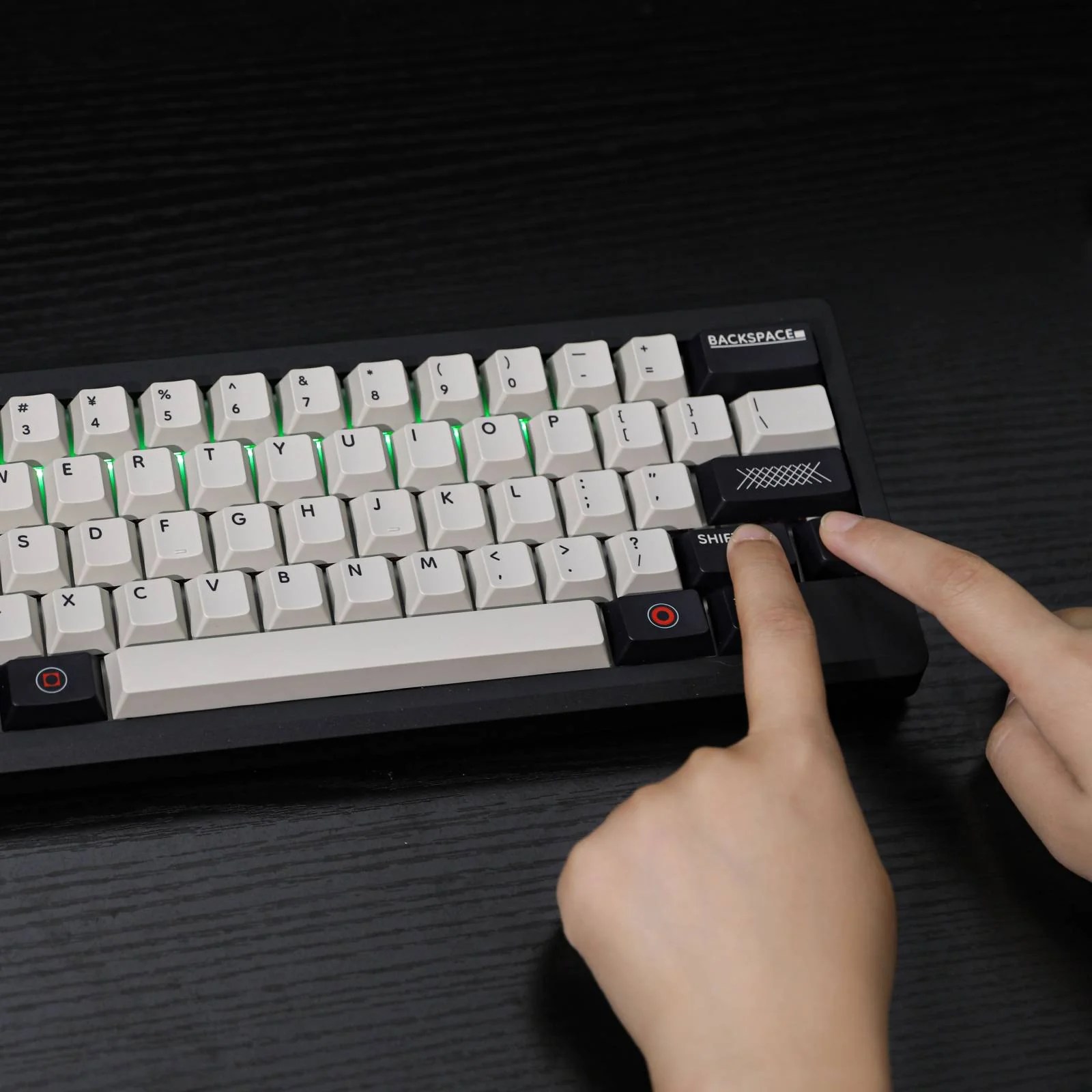
The Breeze 75 is a 75% mechanical keyboard. It is available in black and white, purple, pink, and green. No matter what color you choose, it is ready to brighten up any cozy aesthetic. The keyboard features 81 keys and a volume control dial. The keys are backlit with customizable south-facing RGB, and they can be easily swapped with the included key puller. The clear base has RGB which means this keyboard is ready to fit into any setup. You can turn off the RGB at any time, but you aren’t going to want to.

But the keyboard is more than just its looks. The Breeze 75 transcends its beauty with its practicality. The clear base gives the keyboard its style as well as its ideal typing height and angle. The keys are supported with the KiiBOOM Matcha Late Switches which are very responsive and give off its satisfying creamy sound. With its high-speed wireless and Bluetooth connections, users can enjoy a desk free of wire clutter. That said, the included stylish cable is ready to deliver a fast connection when you eventually need it.

The keyboard is easy to use and set up out of the box, but tinkerers can enjoy added customization with the official KiiBoom software. The software allows users to program useful macros, add more function shortcuts, and customize the RGB. The program is easy to use and can be downloaded from the official product page.

Sound Test

Review

The Breeze 75 is a very pretty keyboard that looks better in person. I love the color scheme and appreciate how easy it is to swap everything if I ever need to. The RGB makes the keyboard pop on my desk, and the preprogrammed profiles are nice. You can go in and customize the color and effect, or borrow some from the community if you’re looking for something specific. The RGB can be dimmed or switched off, but you aren’t going to want to.

The impressive battery life will keep your desk free of wire clutter. Even with the backlight on with effects, I averaged 12 hours of continuous use on a single charge, which is more than enough. I like that the backlight shuts off after idling to conserve battery.

Most importantly, this keyboard is comfortable. The keys are soft, the keycaps are responsive, and the keyboard sits at a comfortable angle. I would still look for a wrist rest and take regular breaks, but it did not kill my hands like other keyboards have.

If you’re looking for a new mechanical keyboard, check out the KiiBoom 75. This is a well-constructed keyboard that feels good, easily customizable and comes in fun and pretty colors.

You can pick up the KiiBoom Breeze 75 in all its fun colors on the official website for $149. Pick yours up today!

Rastech Raspberry Pi 5 Kit: Unboxing & User Experience

Disclaimer

Rastech sent me their Raspberry Pi 5 64 GB kit to review. While I am very grateful for the opportunity, I won’t let it sway my opinions. This will be my honest review.

What’s in the Box?

  • Raspberry Pi 5
  • Case
  • Fan and Heatsinks
  • Rastech Power Adapter
  • 2 x Mini HDMI Cables
  • 64 GB Mini SD Card
  • SD Card Adapter
  • USB-C Mini SD adapter
  • User Guide
  • Min Screwdriver

Review

The Rastech kit is a decent boast to be the best entry into the device, but is it worth it?

The included case is fine. It is a well-constructed case made of durable plastic that is well-machined and labeled. While it won’t survive being thrown at a wall, it will survive a few drops from your desk. Most importantly, the case is easy to put together. I recommend having your good mini screwdriver however, the one included in my kit was worthless. My only complaint is that there is no power button. There is a hole big enough for the included screwdriver to power cycle the device, but that might get old if it has to be done then. If you’re making this a NAS, it shouldn’t be a problem.

The case seems to allow for good airflow and the included fan does the job. I can’t speak on how it handles a maximum load, but it does casual net surfing and retrogaming well enough. I didn’t notice any throttling through my regular use.

The cables are high quality and a nice add-on. The 64 GB memory is great. Most of you will eventually switch to an M.2 drive, but 64 gigs give you a nice space to play with until then.

If you’re looking for a Raspberry Pi 5 kit and need the cables, the Rastech 64 GB kit is a great place to start. You’re going to want to upgrade to a nicer case eventually, but it is a great place to start.

You can pick up the Rastech Raspberry Pi 64 GB kit on Amazon through my affiliate link for $127.99.

Fifine Ampligame D6 Controller Review: A Streamer’s Best Friend

Fifine sent me their Ampligame D6 Stream Controller to review for my blog. While I am very grateful for the opportunity, I won’t let it sway my opinions of the device. This will be my honest review. Make sure you check my other Fifine product reviews like the M9 lavalier mic set or the AM 8 Streaming mic.

What’s in the box?

  • D6 Stream Controller
  • USB-C to USB-C chord with builtin USB-A adapter
  • user manual

Features

The Ampligame D6 stream controller is the ideally sized to take up the perfect amount of desk real estate without losing any function. Its sleek black design and programmable faces make it compatible with most aesthetics. And if it wasn’t obvious the D6 was designed with gamers in mind, the subtle RGB strip that borders the devices comes with a few preprogrammed profiles that can be toggled off at any time.

The D6 intends to improve the user’s workflow without breaking the bank. With its 15 programmable buttons and compatibility with popular content creation tools, the D6 is ready for any type of workload. Each button can be programed with with media controls, macros, and other useful plugins to take a content creation to the next level. Setup is as easy as drag and drop, and there is a plugin store for additional functionality.

Whether it is gaming, editing, or streaming, the Ampligame D6 Streaming Controller promises to do it all brilliantly.

Review

I was very impressed with the controller out of the box. It has a good weight to it and the construction seems solid. It has good quality rubber at the bottom to keep it firm on your desk which is a nice little detail. Turning on the device left me a bit more impressed. Each button has a small screen with good resolution. All of the icons are easy to read and see, and they can be reprogrammed to fit any aesthetic. I also like how the RGB is subtle and doesn’t turn my desk into a rave, and like it even more that I can turn it off when I don’t want it on.

Setting up the streaming deck was easy through the official ap. The ap gives users a decent amount of programmable functions and there is a ap store with free plugins for program specific functions. I didn’t mess with the store too much since the default settings had enough of what I needed.

The buttons were a bit stiff at first, but they do begin to soften after prolonged use. The functions and keys are very responsive, and I like that I can save multiple profiles with multiple pages of shortcuts if I need to switch between different workflows. I do feel like it has helped improve my productivity. It is OBS compatible and it is nice to have access to the functions without having to switch out of the game. I have also started using it for work, using it for shortcuts for programs and macros that I use regularly. My only complaint is that I won’t ever be able to do my work without it.

If you’re looking for an affordable streaming controller with a good amount of utility, the Ampligame D6 gets the job done. You can pick up the Ampligame D6 on Amazon for $78.99 using my affiliate link.

Best Raspberry Pi 5 Kit? Vemico Reviewed

Vemico sent me their Raspberry PI 5 kit to review for my blog. While I am very grateful for the opportunity, I won’t let it sway my opinions. This will be my honest review.

What’s in the Box?

  • Raspberry Pi 5
  • Metal Heat Sinks
  • 32 GB Micro SD
  • Micro SD adapter
  • Micro SD USB-C Adapter
  • Vemico High Quality Cable
  • Screw Driver

Review

The Vemico PI 5 kit has everything you need to get you started with what is probably the most fun piece of tinker tech. There are a lot of fun projects available for people at any level of tech comprehension.

I have a PI 4 that I’ve been using as a media server, but it was about time for an upgrade. The 4 is a fantastic piece of tech that I will continue using, but I need something with a bit more power for that higher rez content. I appreciate the inclusion of an onboard power button and the PCIe expansion for that fast SSD memory.

The PI 5 was noticeably faster and handled the required load better. If you are considering making the jump or looking for your first Raspberry Pi, the Vemico kit is a fantastic bargain.

The Pi is easy to set up with the included USB-C adapter. While I do appreciate the inclusion of the SD adapter, USB is more universal. I set up the Pi as both a light-load computer and then transitioned to the media server quickly. It handled both tasks better than the 4, but it does get noticeably hot. I recommend using the included heat sinks or investing in a case to reduce that throttle.

The kit does not include a mini HDMI or case, but this isn’t a huge deal. It is extremely easy to do a headless setup for most cases, but mini HDMI cords are inexpensive. There are kits out there that include a case, but most of those are cheap and not very good. Depending on what you intend to use your PI for, you’re going to have to buy a case anyway. There are a lot of good options out there, and some even with RGB.

What makes this bundle worth it is the included high-quality power supply. This is a well-made chord that is perfect if you intend to travel with your PI, or if you want some extra piece of mind. My four has a flimsy cable that does the job, but I count the days until it fails me.

If you’re looking for a Raspberry PI kit, the Vemico kit is a great starting point. You can pick up the Vemico Raspberry Pi 5 kit on Amazon for $105.99 using my affiliate link.

Upgrade Your Setup with the Epomaker Galaxy 100 Keyboard

Epomaker sent me their Galaxy 100 keyboard to review for my blog. While I am very grateful for the opportunity, I won’t let it sway my opinions. This will be my honest review. Make sure you also check out my latest review for the HE75 Mag.

What’s in the box?

  • Instruction Manuel
  • 2.4 Ghz Wireless Dongle
  • Keypuller Tool
  • Mac Function Keys
  • USB-C to USB-A Charging Cable

Features

If you are looking for a full-sized keyboard that will upgrade your aesthetic, enhance your productivity, and not break the bank, then the Epomaker Galaxy 100 is what you’re looking for.

The keyboard comes in two colors, an elegant black and a gray with some soft pastels that truly pop. The keys, keycaps, and volume dial are easily swappable so that you always have a keyboard that fits your aesthetic. Its soft, south facing RGB back light comes with a few preprogrammed profiles, but it can be toggled off at any time. It sports a heavy aluminum frame that looks great and keeps your keyboard firm and secure.

The Galaxy 100 supports both Bluetooth 5 and 2.5Ghz connections which means you won’t have to clutter your desk with a cable. The keyboard does support a wired connection through the included high quality cable, but you will hardly need it with its boasted 800mAh battery. Moreover, its boasted minimal latency (2.81ms [usb], 4.72ms [wireless], 15ms [bluetooth]) means it is a solid gaming keyboard for those who need it.

Arguably, the Galaxy 100‘s best feature is its QMK/VIA compatibility. All 101 keys can be remapped and programmed so to fit your needs. Whether it is gaming or editing, this thing is ready at a very good price point.

Sound Test

Review

I did not know how badly I needed a full-sized keyboard until I got the Galaxy 100. This keyboard has been a godsend for my workflow, and I recommend it to anyone looking for a full-sized keyboard.

Out of the box, this keyboard looks amazing. Not only is it well constructed, but it is a very pretty keyboard. The RGB is soft but vibrant enough to make the keys pop, and the color scheme is fantastic. I got mine in grey and adore the soft pastels and the coordinated layout of the keys.

Noise-wise, the Galaxy 100 is a little quieter than I am used to. Keypresses make a satisfying pop without filling the room, which the people around me seem to appreciate. It isn’t silent, but you’re going to be disappointed if you’re looking for something with a bit more click-clack.

Functionally, the keyboard is fine. The keys are soft and responsive, and I got about 10 hours of battery life on a single charge. At the very least, it can handle the demands of hours of casual gaming, which is good enough for me.

Unfortunately, comfort is where this keyboard loses me a bit. While it doesn’t destroy my hands like other cheaper brands do, it does trigger my RTS after prolonged use. Note that this is an issue unique to me. I use my keyboard for longer than the average user and require specific ergonomics for prolonged use. This shouldn’t be a problem for the normal consumer, but those looking for an ergonomic setup will need to keep looking. That said, I will continue to use this keyboard for work because the number pad and the ability to program macros are invaluable.

The Galaxy 100 is a fantastic full-sized keyboard for anyone looking for one. It looks great and it reinforces the idea that Epomaker makes a great keyboard. You can pick up your own Epomaker Galaxy 100 in Black or Grey from the official Epomaker store!

Is the Fifine Ampligame V3 Worth It? A Detailed Review

I was sent the Fifine Ampligame V3 capture card to review for my blog. While I am very grateful for the opportunity, I won’t let it sway my opinions. This will be my honest review. Make sure to check out my latest review on the Fifine M9 microphone system.

What’s in the box?

  • V3 Capture Card
  • USB-C to USB-A cable
  • Instructions Manual

Features

The Fifine Ampligame V3 capture card is a budget card that promises high-quality capture at a fraction of the cost. Need to capture gameplay from the hottest new console release, the V3 has your back with up to 1080p resolution and 60 Hz refresh rate. If you enjoy your games at a higher resolution, the V3 has a pass-through feature so you can play at your desired resolution with minimal latency.

Streaming console games has never been easier. With its easy-to-read instructions, the V3 can be up and running on OBS in no time. Need to record some dialogue? Put in your mic and headphones to the card and enjoy its crisp clear sound. If the features don’t win you over, its sleek design and subtle RGB most definitely will.

Gameplay Capture

Review

I’ve been very impressed with the Fifine lineup of products, but the Ampligame V3 Capture card falls flat. I was impressed by the V3’s lightweight design, but it does feel a bit cheap. It has a solid construction, but I wouldn’t drop it. The RGB has a nice soft glow, but it is unnecessary.

Setup is incredibly easy. The device only works through OBS. Most streamers and content creators should already have OBS installed, so it is nice to not have to download more third-party software. The latency is noticeable through OBS. I recommend using the passthrough to a monitor for anything competitive.

The capture is fine, but you are getting what you paid for.

Everything looks too dark, and it struggles to capture all the frames. While it should handle most Switch games, I wouldn’t trust it to handle anything too demanding. It isn’t unserviceable, especially if you plan to cover old-school games.

Unfortunately, I could not get the audio to work without a sound mixer. Luckily I had the Fifine S3 mixer on hand, but everyone else will be out of luck. I couldn’t find a workaround, and I found threads where others ran into the same issue. While it works fine with the mixer, other devices are just plug-and-play.

I can’t recommend the Ampligame V3 capture card because it doesn’t offer enough to be worth the money. If you want to barely record at 1080p and don’t care about fps or sound, sure. Everyone else needs a card that is more consistent and reliable. I’d skip this for now.

You can pick up the Fifine Ampligame V3 Capture card on Amazon for $52.99 through my affiliate link.

Epomaker HE75 Mag Keyboard Review: A Gamer’s Delight

Epomaker sent me their HE75 Mag magnetic keyboard for free to review for my blog. While I am very grateful for the opportunity, I won’t let it sway my opinions. This will be my honest review. Make sure you also check out my review for the Epomaker RT65 and P75 if you’re looking for an affordable way to upgrade your aesthetic.

What’s in the box?

  • Epomaker HE75 Keyboard
  • Braided USB-C to USB-A charging cable
  • Keypuller
  • User Manuel
  • 2 Extra Switches
  • Print and Pause Key Caps
  • Wireless Dongle

Features

The HE75 Mag is a stylish 75% form factor gaming keyboard designed by gamers, making it the ultimate upgrade to any setup. Its lightweight and sturdy design makes it ideal for travel and those extra sweaty gaming sessions. The keyboard supports Bluetooth 5 devices, but there is a 2.4 Ghz dongle for those who need it. When the 4000mAh finally decides to die, you won’t have to stop gaming because playing with the included wired connection is just as good if not better.

If media controls are important to you, the keyboard comes preprogrammed with everything you need and an interchangeable dial for the volume. The subtle backlighting is ready to elevate the elegance of this finely crafted keyboard, but it can be toggled off with a push of a button.

If you’re looking for comfort, you will be hard-pressed to find anything more comfortable. The HE75 has a 15-degree natural slant but built-in stands to help users find their ideal comfortable position. The interchangeable hall effect switches not only make this keyboard soft to the touch, but incredibly responsive. With only about 1 ms wireless latency, you’ll be ready for any challenge that comes your way. Best of all, the actuation is customizable for maximum performance.

Sound Test

Review

The Epomaker HE75 Mag has easily become my favorite keyboard. Its beautiful ombre purple scheme drew me in, and the soft RGB effect kept my attention, but the performance is what made me fall in love. I get a repetitive stress disorder easily and have become incredibly picky with the keyboards I use. I have never used a more comfortable keyboard than the HE75 Mag. The default angle is nice but the built-in stands make it perfect for my build. While it may not be strictly ergonomic, I see no reason to stop using it.

I appreciate that this keyboard is light enough for travel, but it will remain firm during the most intense gaming sessions. It definitely feels like it can take a tumble or two.

As far as gaming keyboards go, the HE75 Mag is a solid contender. The hall effect switches are incredibly responsive without putting much strain on the user’s hand. I didn’t notice a difference in latency between the wired and wireless connection, which is always appreciated. Best of all, I was getting about 10 hours of battery life with the RGB on, which translates to the perfect amount of uninterrupted gaming.

If you’re looking for your next gaming keyboard, you need to pick up the Epomakero HE75. Not only is this the prettiest keyboard you’ll own, but its performance won’t disappoint. This is the keyboard you buy when you want to upgrade your setup and do well on your raids for a reasonable price. It also makes for a fantastic present.

You can pick up the Epomaker HE75 Mag on the official site for only $99.99. Get yours today!

Best Affordable Wireless Lavalier Mic: Fifine M9 Review

I was sent the Fifine M9 wireless lavalier microphone set to review for my blog. While I am very grateful for the opportunity, I won’t let it sway my opinions. This will be my honest review of the device.

What’s in the box?

The Fifine M9 Microphone set comes beautifully packaged with:

  • The Instruction Manual
  • High Quality Carrying Case
  • Charging Case
  • Wireless Reciever
  • 2 x Wireless Microphone
  • 2 x Furry Windscreen
  • USB-C to USB-A Charging Cable
  • 3.5mm TRS to USB-C Cable
  • 3.5mm TTRS to 3.5mm TRS cable
  • 3.5mm TRS to 3.5mm TRS cable

Features

This compact and portable system is the perfect addition to your kit. Whether traveling the world or recording in a studio, the Fifine M9 system is ready for any task. With a five-hour life span on a single charge (30 total with the charging case), it has enough juice to get the job done.

This easy to setup device is compatible with phones, tablets, laptops, and cameras. Best of all, all the cables you need come included! Whether you’re plugging into your camera, or recording content on your phone, this thing is ready!

Most importantly, the microphones have an impressive sensitivity of -38dB. This means they filter out a lot of background noise so you can record on the busiest streets without worrying too much about quality. Wherever you end up recording, the M9 system boasts a clear and crisp capture at a magnificent price point.

Sound Test

https://churapereviews.com/wp-content/uploads/2024/11/232-s-pastoria-ave.m4a

Review

The M9 wireless mic system comes neatly packaged. I am always impressed by Fifine’s attention to detail and elegant packaging. The system comes inside a well-made, high-quality carrying case. I love that the case is sectioned and everything has its pace.

Everything inside the box looks very well made. The charging case, mics, and receiver all have a sleek and stylish finish, and the cables feel sturdy and durable. I like that they coil for easy and neat storage. The fuzzy wind filters are a nice touch for those who record outside regularly.

The M9 System is the most impressive mic I have come across. I was able to get the three-hour battery life as advertised, which was more than enough for my needs. Battery life aside, the sound capture is what truly blew me away. I don’t normally like the sound of my own voice, but maybe I have been using the wrong microphone. Not only does this thing filter a lot of background noise, it does an amazing job capturing voices.

If you’re looking for a good microphone for content creation, or just to have good-sounding recordings, get the Fifine M9 lavalier mic system. This device is easy to set up, compatible with whatever you need, and it is possibly the crispest sound you’re getting at this price point. Fifine once again makes a fantastic product at a reasonable price and just in time for Christmas!

You can pick up the Fifine M9 Wireless Lavier microphone system for $82.99 on Amazon using my affiliate link.

The EasySMX X15: The Prettiest Budget Controller on the Market

I was sent a free EasySMX X15 controller to review for my blog. While I am very grateful for the opportunity, I won’t let it sway my opinions. This will be my honest review.

Whats in the box?

The controller comes with:

  • 1 USB-C to USB-A braided charging cable
  • 1 2.4G Wireless dongle
  • 1 instructions manel

Features

The X15 is a stylish budget controller for the gamer who wants to upgrade their aesthetic but doesn’t want to go broke. Its beautiful RGB accents help it stand out against other controllers in the market, but they can also be toggled off for those who prefer a more subtle aesthetic. The controller comes in Mecha (black) or StarfieldI chose the Starfield version because I preferred the design, but it was not an easy choice.

The X15 supports wired, wireless, and Bluetooth connections, boasting up to 20 hours of gaming on a single charge. That said, the included braided cable is long enough to keep you gaming while charging your controller.

Most impotanlty, the EasySMX X15 features:

  • Hall effect joy stick to eliminate the risk of stick drift
  • Hall Triggers for smother inputs
  • Tactile face buttons
  • 2 additional programmable triggers on the bottom
  • Textured grip

For only $39.99, the x15 is sounding like a very good deal.

Review

The EasySMX X15 is a beautiful controller, but one that will initially feel cheap. I was not a fan of how light this controller is compared to what I am used to. The face buttons also make a cheap plastic click when pressed which made me uneasy about the build quality. The more I used the controller, the less these issues became a problem.

The controller feels wonderful in my hands. The textured face buttons give the controller a hint of elegance, but it makes the buttons feel good to press. The controller is textured exactly where it needs to be, and the design fits comfortably in my hands. Most controllers, especially budget ones, tend to destroy my hands and leave me unable to play after only a few minutes. While the controller is not explicitly ergonomic, it is ergonomic enough to allow me to enjoy gaming with a controller.

As far as function, it works better than most budget controllers in its price range. The Hall effect triggers and joysticks don’t feel any better than a 1st party Xbox controller, but it feels a lot better than a cheap controller. Inputs seemed fine for the most part, but I did notice some games needed additional remapping. The additional triggers are easy to program and fantastic. They are in a good spot, easy to press, and responsive enough to make an impact. I can’t speak on how good the controller is for competitive play, but it was good enough for my Destiny 2 grind on PC, and some casual Genshin Impact on my iPad. Switching between devices is a pain, so you will probably want to keep this tied to one device.

I was pleasantly surprised by the controller’s battery life. I got pretty close to the boasted 20 hours of gaming with the RGB on. I didn’t test the life without the RGB because it looks so pretty, but I can only assume you get more.  

As far as budget controllers go, the EasySMX X15 should be at the top of the list. Even with its flaws, you aren’t getting anything better at this price range.

You can pick up the EasySMX X15 for only $39.99 on the official website, or Amazon through my affiliate links.

The Epomaker RT65 is a Unique & Excellent Mechanical Keyboard

I was sent the Epomaker RT65 for free to review for my blog. While I am very grateful for the opportunity, I won’t let it sway my opinions. This will be my honest review. Make sure you also check out my review for the Epomaker P75 if you’re looking for something a little bigger.

What’s in the box?

The keyboard comes neatly packed with:

  • Thick and Sturdy USB-C to USB-A cable
  • Key Cap and Switch Puller Tool
  • Mac Keys
  • 4 Replacement Switches
  • Removable Mini Display
  • 2.4G Dongle

Features

The Epomaker RT65 is a lightweight 65% keyboard with a retro yet modern design to elevate any desk space. It features south-facing customizable LED lights that can be customized through third-party software to fit any aesthetic. The RGB can be turned off at any time.

The RT65 can be used through a wired connection with the included stylish cable but also supports Bluetooth and wireless connections. The RT 65 can switch between three devices with its speedy Bluetooth 5.0 connection and the included 2.4 dongle.

The RT65 has a couple of unique gimmicks that help set it apart from its competition. The mini display is fully customizable and shows users important information like date, time, and battery life. The attached joystick can be used for the device’s media controls and mouse.

Most importantly, this compact keyboard has a respectable 3000 mAh battery.

Sound Test

https://churapereviews.com/wp-content/uploads/2024/10/rt65sound.mp3

Review

I was skeptical because this is by far the smallest keyboard I have ever used, and I am not a small man. It didn’t take me long to get used to the smaller layout, and the soft keys make it a more comfortable typing experience than my old, more expensive ergonomic setup.

Setting up the RT65 is extremely user-friendly. Connections are either plug-and-play or a few seconds of pairing. The included guide is easy to read and very valuable, especially for learning all the preprogrammed shortcuts. There is official software available for the keyboard, but it is only needed for customizing the keyboard when the preprogrammed options aren’t good enough.

The keyboard comes with a few preprogrammed RGB profiles that can be toggled off. Users can easily create their own RGB profiles, change the keyboard layout, create macros, and change the image on the mini display through the official software. The software is easy to use, and I like the amount of customization options available. It took a bit of tinkering, but I finally created a profile I am happy with, although I will probably need to find some new key caps to make it fit my desired aesthetic.

As for the battery, I was able to get about eight hours of use after a full charge with the lights and mini display going. I am sure I could get a longer session if everything turned off, but the keyboard looks so good with everything on. I do like that I can take off the mini display for when I travel, want to save battery or want something a little more subtle on my desk.

I hardly used the joystick. The joystick feels nice to the touch, but I forget it is there. It is an interesting gimmick that gives the keyboard its unique aesthetic, but it isn’t the reason to get the keyboard. The same can be said about the mini display, but I like how both look on the keyboard.

The Epomaker RT 65 has become my daily driver because of its unique aesthetic, solid battery life, and comfortable design. I wouldn’t call it the most ergonomic experience, but it feels a lot better than what I was using before. If you’re looking to upgrade your setup, or simply looking for a quality mechanical keyboard that won’t break the bank, get the RT 65. It is an excellent keyboard that lives up to its marketing.

You can pick up the Epomaker RT 65 off the official website.