Tag Archives: controller

EasySMX X05 Pro Review: The Quiet Gaming Controller

Disclaimer

EasmySMX sent me the the X05Pro controller to review for my blog. While I am very grateful for the opportunity, I won’t let it sway my opinion. This will be my honest review. Make sure you also check out my review for the S10 and X15 controllers. I’ll also be using my Amazon affiliate links where possible. It really helps me out if you use them before buying anything.

Table of Contents

What’s in the Box?

  • EasySMX X05 Pro Contoller
  • USB-C to USB-A Cable
  • 1 x2.4G Receiver
  • User Manual

Features

EasySMX has created the quietest controller you’ll ever get to use without sacrificing any performance. The EasySMX X05 Pro is loaded with the features to bring your game to the next level at a very reasonable price point.

Design

The EasySMX X05 Pro features a clean and comfortable design available in three beautiful color schemes: back, white, and a limited edition purple.

The X05 Pro Wouldn’t be a gaming peripheral without proper RBG. The controller has subtle RBG highlights to give it a bit of flare without it losing any of its elegance. The controller’s smooth design promises ergonomic gaming, while its modern looking features promise the performance. If you’re looking for a good looking controller that performs just as good, check out the X05 pro.

Performance

The X05 Pro is loaded with the essential upgrades to any gamer’s arsenal. The X05 Pro has been redisigned with noise-reducing silicone dampers on all of the buttons for the quietest gaming you’ll ever experience. All buttons on the controller are precise, from the 8-way directional game pad, to the adjustable dual-stage hall effect triggers. The hall effect joysticks reduce give the controllers its ultra precision while eliminating that pesky drift you see in something like the joycons. With the controller’s respectable 7000mAh battery, you’ll never have to worry about losing power during those important team fights. What makes the X05 uniquely pro are the 2 additional programmable buttons on the shoulder.

Review

The EasySMX X05 Pro controller is a fantastic budget option with the features and quality to upgrade any gaming setup.

Quality

Users will be impressed by the quality and weight of the X05 pro. Out of the box, users will appreciate the controller’s clean design and well constructed body. While a little on the lighter side, the controller does not feel or look cheap. The buttons, joysticks, and triggers all have smooth and quality actuation. One issue I have with cheaper controllers is that they can be incredibly stiff, but that is not an issue here.

Comfort

Playing with controllers is incredibly hard for me because of my repetitive stress injury. Most controllers, especially on the cheaper end, destroy my hand. Most of the time, I can’t make it through a session with a controller for more than an hour. This is a huge reason why my switch is often collecting dust. Those joy cons have terrible drift now, but they would destroy my hands almost instantly.

While I wouldn’t call the X05 Pro the ergonomic solution to controllers I’ve been looking for, I can enjoy a more respectable gaming session, especially on the switch. The force required for each imput takes pressure off my hands. The shape puts my hands in a comfortable position, and soft textured bottom just feels good to the touch. Most importantly, the quite profile buttons mean I am not annoying anyone with my button mashing.

My hand still cramps up after a two or three hours of continuous gaming, but that is both respectable and unavoidable. This issue isn’t going to exist for everyone, especially if you are taking care of your hands.

Performance

I had no issue with the X05 Pro‘s performance. The controller was accurate and responsive through all the games I put it through without any noticeable latency. The DPad felt good for 2D platforming, the adjustable triggers were nice for high-action shooting games, and the long lasting battery meant I never had to reach for a wire. The quality of the build give me confidence that I can enjoy this high performing controller for a respectable amount of time. At least longer than the Joy Cons I kept having to replace.

Conclusion

The X05 pro is easily one of my favorite controllers for its sleek and comfortable design and quite profile. The features help put it over the edge with its high performance parts and long lasting battery. My only complaint is that I wish the additional buttons were on the bottom instead of the shoulders. While they aren’t hard to reach, having them on the bottom feels more natural and comfortable. Other than that, if you’re in the market for a good, budget-friendly controller, check out the EasySMX X05 Pro controller.

You can pick up the EasySMX X05 Pro controller on the official Easy SMX website, or on Amazon with through my affiliate link.

EasySMX S10 Controller Review: The Ultimate Gamepad for Switch 2

Disclaimer

EasySMX sent me the S10 wireless gaming controller for free to review for my blog. While I am very grateful for the opportunity, I won’t let it sway my opinions. This will be my honest review. Make sure you check out you also check out my review for the X15 Controller. Make sure you use my discount code Jose S10 at checkout for 10% off your purchase.

What’s in the box?

  • EasySMX S10 Gamepad
  • 2 x Magnetic Faceplates
  • 1 x Circular D-Pad
  • 1 x Cross D-Pad
  • USB-C to USB-A Cable
  • 2 x Sticker Sheet
  • 1 x User Manual

Features

With the population of Switch 2 growing against the overall gaming landscape, so too grows the need for high quality peripherals, and EasySMX has come up with an affordable and beautiful solution. For an unbeatable price of only $59.99 (51 with my discount code), gamers can enjoy the feature-rich gamepad in either black or white:

The controller looks great in either color, but the white will be prone to smudging. Of course, this wouldn’t be a gaming peripheral without RGB, and the S10 has a beautifully lit face that acts as a subtle accent without turning your room into a rave. For a bit of added flare, the controller comes with two sheets of stickers and magnetic plats so that you can personalize your controller to fit your style.

Fortunately, the S10 is deeper than its aesthetics. The S10 is ready to upgrade your Switch gaming experience to the next level with its many optimized features. Its advanced mecha-buttons give players a very clicky sound but the precision and longevity they need to game uninterrupted. The TMR Sticks are not only precise, but promise a comfortable smooth glide. Most importantly, the high speed low latency connection for both its wired and Bluetooth modes means this controller is ready to compete in the most competitive of arenas. Couple this with its solid battery life, and you have a fantastic upgrade to any setup.

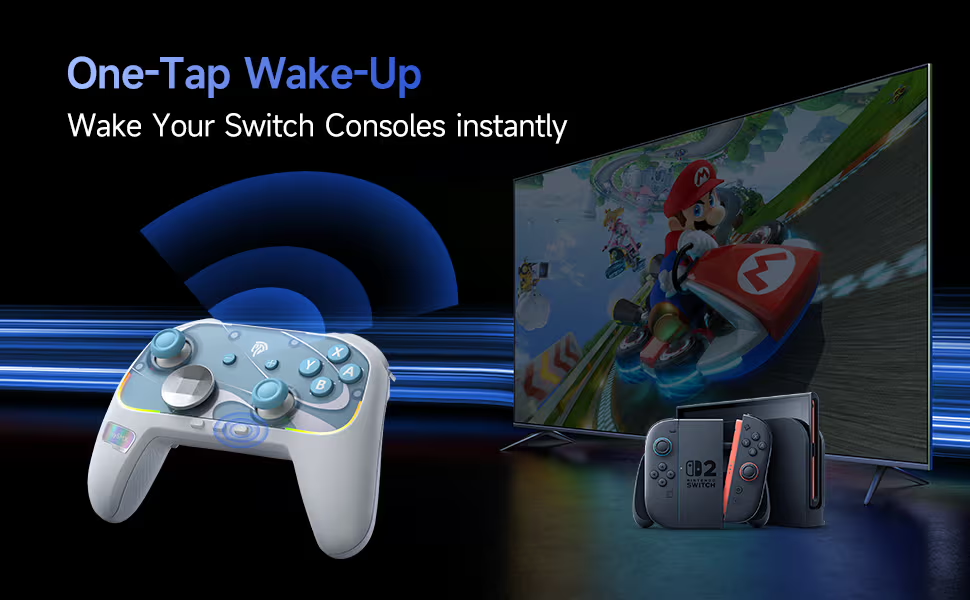
Most importantly, the S10 has been optimized for the Switch, with a lot of the features Nintendo users crave. The S10 comes with advanced motion controls, a built NFC reader for all your amiibos, and a one-tap wake-up feature for the Switch 2. But if you don’t have a Switch, you can enjoy the controller with any of your other devices.

Review

Users will open the box and appreciate how well made and pretty the S10 controller is. It is a little on the lighter side, but it certainly doesn’t feel cheap. I particularly like the textured handles that give the controller its satisfying feel. The additional faceplate and stickers are fun for those who want to customize the controllers, but I am not creative enough to take advantage of this feature. This is a very pretty controller without the need of customization. I love the RGB and how it doesn’t feel intrusive, but it can be shut off if you don’t like it. I think it gives the controller its flare.

Getting past the looks, users will be impressed by the amount of features the controller comes with. The two extra buttons on the bottom of the controller are a very useful and have become a staple in my gaming journey. My favorite feature is the circular D-Pad that made it feel like a smooth joystick. I like that I always have the option to switch to a regular cross D-Pad, but I am finding it hard to. Other than that, the control works well. The haptic controls feel good and add to the immersion, the NFC reader picks up my Amiibos, and sticks feel really good. The controller is responsive out of the box, and it was able to handle all of my gaming needs. Of course I am just a filthy casual, but there is value in it for me regardless.

As great as this controller is, I do have a couple of complaints. One of my complaints is with the sound of the switches. While I didn’t notice any imput lag in either of the connections, the clicking button pressing makes sounds cheap and can get annoying. If you like the ASMR experience that comes with mechanical keyboard switches, there is some value in the S10. I wouldn’t call the sound a deal breaker, but it is something to consider.

My biggest issue with the controller is comfort. Full disclosed, I have a repetitive stress injury that requires certain ergonomics. Controllers, especially cheaply made controllers ruin my hands. While the S10 isn’t the most comfortable or ergonomic controller, I was able to get enough meaningful gaming to keep it in my rotation. The S10 may cause some discomfort, but it is a lot more comfortable than using the joycons.

So what is my final verdict? If you have a switch and need a new controller, the EasySMX S10 is a fantastic option. The gamepad looks great, has a lot of useful features, and is an upgrade from the joycons. You can pick up your S10 gamepad from the official SMX store. Make sure you use my discount code Jose S10 to save a bit of money.

The EasySMX X15: The Prettiest Budget Controller on the Market

I was sent a free EasySMX X15 controller to review for my blog. While I am very grateful for the opportunity, I won’t let it sway my opinions. This will be my honest review.

Whats in the box?

The controller comes with:

  • 1 USB-C to USB-A braided charging cable
  • 1 2.4G Wireless dongle
  • 1 instructions manel

Features

The X15 is a stylish budget controller for the gamer who wants to upgrade their aesthetic but doesn’t want to go broke. Its beautiful RGB accents help it stand out against other controllers in the market, but they can also be toggled off for those who prefer a more subtle aesthetic. The controller comes in Mecha (black) or StarfieldI chose the Starfield version because I preferred the design, but it was not an easy choice.

The X15 supports wired, wireless, and Bluetooth connections, boasting up to 20 hours of gaming on a single charge. That said, the included braided cable is long enough to keep you gaming while charging your controller.

Most impotanlty, the EasySMX X15 features:

  • Hall effect joy stick to eliminate the risk of stick drift
  • Hall Triggers for smother inputs
  • Tactile face buttons
  • 2 additional programmable triggers on the bottom
  • Textured grip

For only $39.99, the x15 is sounding like a very good deal.

Review

The EasySMX X15 is a beautiful controller, but one that will initially feel cheap. I was not a fan of how light this controller is compared to what I am used to. The face buttons also make a cheap plastic click when pressed which made me uneasy about the build quality. The more I used the controller, the less these issues became a problem.

The controller feels wonderful in my hands. The textured face buttons give the controller a hint of elegance, but it makes the buttons feel good to press. The controller is textured exactly where it needs to be, and the design fits comfortably in my hands. Most controllers, especially budget ones, tend to destroy my hands and leave me unable to play after only a few minutes. While the controller is not explicitly ergonomic, it is ergonomic enough to allow me to enjoy gaming with a controller.

As far as function, it works better than most budget controllers in its price range. The Hall effect triggers and joysticks don’t feel any better than a 1st party Xbox controller, but it feels a lot better than a cheap controller. Inputs seemed fine for the most part, but I did notice some games needed additional remapping. The additional triggers are easy to program and fantastic. They are in a good spot, easy to press, and responsive enough to make an impact. I can’t speak on how good the controller is for competitive play, but it was good enough for my Destiny 2 grind on PC, and some casual Genshin Impact on my iPad. Switching between devices is a pain, so you will probably want to keep this tied to one device.

I was pleasantly surprised by the controller’s battery life. I got pretty close to the boasted 20 hours of gaming with the RGB on. I didn’t test the life without the RGB because it looks so pretty, but I can only assume you get more.  

As far as budget controllers go, the EasySMX X15 should be at the top of the list. Even with its flaws, you aren’t getting anything better at this price range.

You can pick up the EasySMX X15 for only $39.99 on the official website, or Amazon through my affiliate links.

GLYDR Announces Partnership with CRE8 for Revolutionary Controller

I first wrote about GLYDR when it’s Kickstarter launched. It not only met its but blew past its goal by $70,000. In a bit of new news, GLYDR has partnered with leading design engineering firm CRE8 to complete the design and engineering of their revolutionary gaming peripheral.

What is GLYDR?

GLYDR is a unique gaming peripheral that aims to revolutionize the way we play games by giving players the ability to play with their feet. This controller features 16 programable actions designed to give your hands some much-needed relief. These actions can be saved into game-specific profiles that you can easily pull up through their software so you can always have the loadout you need. There will also be a library of community loadouts for those like me who are less creative. 

What the CRE8?

CRE8 is a design engineering firm tasked with the final consumer version of the peripherals. They are responsible for some well known gaming designs like Cougar Gaming products. While the Kickstarter prototype looks fine, I wouldn’t mind something with a deeper gaming aesthetic.

Impressions

I get pretty bad RSI after all the gaming and typing I do. It gets so bad that my hands become unusable. I’ve worked hard to find the perfect ergonomic set up for gaming and work, but the pain still comes through with certain games and tasks. Having something like GLYDR that takes away some of the strain from my hands seems like a fantastic addition to my arsenal. I will need to try it first, but I am at least curious. With the news of this partnership, I am excited to see the final product. 

If you’re looking for a way to unload some of that hand strain, GLYDR seems like a fantastic solution. If you missed the Kickstarter, you’ll be able to reserve your unit soon. Stay tuned for the official announcement. 

If you enjoy these updates, please leave a like, comment, and share this with your friends. Don’t forget to follow the socials!

The Razer Wolverin V2 Controller isn’t worth the Price

The Final Shape releases on June 4th. I received a copy of the expansion to cover for my blog when it releases. After a long break from Destiny 2, I’ve booted up my original hunter and started to grind in preparation. I’ve been using my keyboard and mouse, but I want to switch to a controller. I also need a controller for the other games I play. 

I have an old Xbox One controller that works fine, but I want something more ergonomic and with updated features. My search landed me on the Razer Wolverine V2 wired controller. I know Razer doesn’t make the best peripherals, but the deal seemed too good to pass up. Normally $100, I thought I was at least getting a decent $50 controller. I didn’t. 

If you enjoy these reviews, leave a like, comment, follow, and share this with your friends. You can also always buy me coffee.

Quality

The Razer Wolverine V2 is disappointing out of the box. This looks like a cheap generic controller that is desperately trying to pass off as a Razer product. The build feels sturdy and has the iconic Razer aesthetic, but it doesn’t radiate the quality you would expect from a $100 controller. If you can get past the shock of how cheap the controller looks, but isn’t bad. The textured finish feels nice to the touch, and the buttons have a satisfying click when pressed. Unfortunately, the controller still feels cheap. I can’t attest to the longevity of the controller, but the triggers feel like they’ll eventually break from use. 

Features

What sort of makes up for the cheap design is the controller’s customizability. Through Razer’s third-party app, you can reconfigure the controller’s layout to fit your playstyle. I typically use the defaults or change them in the game, so this feature didn’t do much to unsour my impression. This feature would be good for people who go to tournaments, but there are better controllers for competitive play. 

The Razer Wolverine V2 also comes with two extra buttons along the triggers that can be reprogrammed. I tried a few different configurations and never found an instance where they proved useful. They were in an awkward position and were often more inefficient to reach than the keys I was replacing. If you need a controller with extra buttons, get something with pedals on the bottom.

Ergonomics

If you are looking for an ergonomic controller, the Razer Wolverine V2 is a terrible choice. You are better off with an Xbox One controller. After about 20 minutes of light play, my hands were on fire. I have worked hard to create an ergonomic setup because the pain from the repetitive stress in my wrists and hands leaves me useless. I’ve found a decent solution for my keyboard and mouse, but there are games I play that require a controller. The Xbox controller I’ve been using still destroys my hands, but it isn’t as bad as the Razer Wolverine V2. Do your hands a favor, and don’t buy this controller. 

Conclusion

The Razer Wolverine V2 is a waste of money, even if you like the Razer aesthetic. The Controller looks and feels cheap, and lacks the features to make it a $100 controller. Even at the $50 price point I bought it at, there are simply better options. I am disappointed I wasted my money on something I can’t physically use, but my search for a better controller continues. The Razer Wolverine V2 wired controller isn’t the premium gaming peripheral it pretends to be.

You can pick up the Razer Wolverine V2 on Amazon currently for $49.99 (normally $99.99).

Enhance Your Gaming Experience with Nacon Revolution 5 Pro

We are officially in the holiday season, which means it’s about time to buy some presents. If you are looking for a gift for the gamer in your life, or simply want to take your competitive play to the next level, you might want to look at the NACON PlayStation Revolution 5 Pro. This premium officially licensed controller supports play on PS5, PS4, and PC through both wired and wireless connections, boasting up to 10 hours of uninterrupted gameplay. Its unique design and features make it the perfect accessory for any serious gamer.

The Revolution 5 Pro controller has insane customization options. The kits come with three sets of interchangeable weights, three different-sized joysticks, two interchangeable d-pad options, and an external microphone jack. Audio is also Bluetooth-compatible. Every button on this controller can be easily remapped through the easy-to-use companion app, allowing players to save up to four profiles per platform. You can also adjust the trigger sensitivity for maximum control. This much customization ensures you get a controller that always fits your playstyle.

Constructed from durable materials, designed to optimize ergonomics for long and sweaty sessions, and with Magnetic Call effect technology to reduce the chance of stick drift, the Revolution 5 Pro was built to last.

You can pick up the controller in black or white for $199.99, which is about how much you would expect from this type of controller. Both colors are available at the official NACON store, but it seems only the black one is available at Best Buy.

You Will Die Here Tonight is the creepy retro survival horror game you need in your library

I was sent You Will Die Here Tonight as a review code. While I am very grateful for the opportunity, I will not let it sway my opinions. This will be my honest review. If you enjoy my reviews, please make sure you leave a like, follow, and share this with your friends.

You Will Die Here Tonight is a retro-style survival horror game available now for PC. It features challenging puzzles, a solid story, fun combat, and a creepy atmosphere. If you enjoy the genre or are simply looking for something spooky for the holidays, I recommend adding You Will Die Here Tonight to your collection.

Aries Division is sent on a mission to recover a stolen serum from a mysterious house on the hill. But this is no ordinary mission. Death hides behind every corner, zombies roam its halls, and the team has been separated. Can you find a way out of this nightmare?

Players investigate the mansion as each member of the Aries Division. Each character has a unique set of skills, stats, and personality that affects how they interact with the environment. This allows for interesting encounters, creative puzzle solutions, multiple endings, and a decent amount of replayability. 

This game does very little hand-holding. There are no checkpoints, and it won’t light your path to the next objective. Instead, you’ll have to stumble through the dark mansion, searching for clues. I loved the anxiety I got from not knowing where to go or what was going on. This anxiety coupled with the mansion’s creepy ambiance makes for a solid horror experience. You will die a lot, but most of the fun comes from getting a little farther with each life.  

The gameplay loop is split into three parts: exploration, combat, and puzzles. Exploring the mansion can feel a bit slow at times, but the setting is creepy enough that it won’t matter. I appreciate the isometric maps and retro vibe of the art style, but there are points in this game where I got stuck because it was too dark to see anything. 

Combat in this game is unique. Each encounter triggers a fun first-person shooter mini-game. The character you play affects how easily you can kill zombies. Killing zombies isn’t always hard, but finding enough bullets and medicine to stay alive can be difficult. 

The puzzles are the best part of this game. You may need a guide for a few of the puzzles, but they are manageable for the most part. I felt a decent sense of accomplishment after completing each puzzle. I definitely appreciate the creativity that went into making them. 

I loved this game. It is a fantastic title in the genre and a must-have if you are a fan of the original Resident Evil. It has a creepy vibe, a solid story, fun gameplay, and some great puzzles. You can pick up on Steam for $19.99.

Nacon just released a couple of controllers you’re going to want to add to your holiday list

NACON just released two limited edition controllers for the Xbox: The Revolution X Field Camo Controller and the Colorlight Wired Gamepad. These unique and exclusive controllers will make the perfect gift for the gamer in your life. If you enjoy these updates, make sure you like, comment, subscribe, and share this with your friends!


REVOLUTION X FIELD CAMO CONTROLLER $74

The Revolution X is the release I am most excited about. While I am not too crazy about the camo, the features more than make up for it. The Revolution X promises to be a competition-grade accessory with limitless customizable options in both inputs and accessibility. Use the app to remap inputs and adjust trigger dead zones, thumbstick sensitivity, and anything that will give you a competitive edge. Best of all, you can save up to four profiles so you can always have the right settings ready to go! The interchangeable weight and thumb stick system, and its heavy-duty design make this the perfect controller for most gamers.

The Revolution also comes with a high-quality braided cable for low latency inputs and four programable triggers on the underside to give gamers a real competitive advantage. I have a few games that would make great use of those triggers.

The controller is $74, which is a pretty solid price point for the amount of features you get. If you don’t want to spend the premium for the Xbox Pro controller, the officially licensed Revolution X by NACON seems like a solid option. Get yours now, exclusively at Walmart.


COLORLIGHT WIRED GAMEPAD ($39.99)

The Colorlight Wired Gamepad is designed for the gamer who needs more RGB in their life. It features 6 LED’s with 25 color variations, 4 lighting effects, and 3 scrolling speeds for an endless amount of combinations. While it may not have as many features as the Revolution X, you are still getting a durable 3m braided cable for low latency, customizable thumbstick sensitivity, and adjustable trigger dead zones. I doubt these settings will be as robust as the Revolution X’s, but they are neat features to have on a fun controller. The Colorlight Wired Gamepad is a GameStop exclusive, and you can pick yours up for $39.99.

Brotato: The cutest arena shooter you’ll obsess over

If you have been enjoying my content and want to support what I do make sure you like, comment, subscribe, and share this with your friends. You can also buy me a coffee

I was sent Brotato as a review code. While I am very grateful for the opportunity, I will keep my review honest.

Brotato is a top-down arena shooter available now on Steam. Play as a potato and survive endless hordes of aliens. This game has no story. You choose a potato and do your best to survive.

The mechanics are simple, move the potato around the arena, and your potato does the rest. You start each round by choosing a potato. Each potato has unique skills and traits that affect the gameplay. Usually, they’ll have a boost in a stat at the cost of another and some kind of gimmick. You unlock additional potatoes by playing the game and unlocking achievements.

As you kill aliens, you pick up XP to level up your character and currency to buy upgrades. At the end of each round, you chose an upgrade for every level you gain and buy items or weapons from a shop. The upgrades and items you choose from are random. While some of my runs were easier than others, I felt the RNG was fair.

The character auto-attacks, so you only have to worry about the movement. I preferred using a controller, but do whatever is comfortable. Where this game gets complicated is in the choices you make for upgrades. These choices affect how strong your potato gets, so choose wisely. Often, you will have to choose between picking up the resources you need to get stronger or simply surviving the round. As simple as this game looks, it can get pretty technical. 

I loved Brotato! The art is cute, the music is great, and the gameplay is fun. It was hard to put this game down because the more I played, the more I obsessed with my strategy. This is a great casual game to pick up because it is engaging enough to keep your attention, and you can return to it without having to remember anything. Brotato is $4.99 on Steam, but it is on sale for $3.99 until June 30. Grab your copy today! The game has been announced to for the Switch, but no date has been set.

Planet of Lana: The Beautiful Puzzle Game You Should Be Playing!

If you have been enjoying my content and want to support what I do, please consider buying me a coffee

I was sent Planet of Lana as a review code. I am very grateful for the opportunity, but I will keep my review honest.

Planet of Lana is a beautiful puzzle game with an incredible story and a fantastic soundtrack available now for PC and Xbox

Aliens have invaded Lana’s planet and have abducted her sister. As the only remaining survivor, Lana must go out and find her sister. Along the way, Lana meets Mui, her cute cat-like companion that will help her on her journey. The pair must now brace an unforgiving landscape, explore the mysteries of the past, and save her people. Can they do it?

I got to play the demo during my time at GDC and loved it. I was very excited when I finally received my copy, and I am happy to report that the title did not disappoint. I love this game! The puzzles are fun and creative, the score is fantastic, and the story is well done. 

The puzzles in this game are challenging enough to keep players engaged, but I never felt they were hard enough to require a guide. The puzzles are designed with enough clues that players should have no trouble getting through them. The puzzles help tell a story that I believe is worth experiencing once.

1 / 11

Planet of Lana tells an incredibly moving story full of adventure, friendship, and danger. It is a breathtaking collection of art and music that come together to create such a wholesome experience. The amount of attention to detail put into this game needs more recognition. I spent way too long trying to piece together all the clues and appreciating the vibrant and lively backdrop. It is remarkable how much this game accomplishes in the space it is given. 

But this game isn’t just pretty, it is also fun. You control Lana and command Mui to solve puzzles. As you get deeper into the story, you find forgotten technology that gives you new ways to interact with the world. The puzzles get creative without losing the chill vibe it mostly carries throughout. This game gets tense when it has to, with moments that will leave most players sweating profusely. 

I love this game and recommend it to anyone looking for a new game. This is a cute, fun, beautiful puzzle experience that anyone can enjoy. If you like games like Brothers: A Tale of Two Sons, this game should already be in your library. But if you need further convincing, try the free demo for PC. The demo gives potential players a fantastic preview of what they have in store. You need to buy this game. 

You can buy Planet of Lana for the Xbox and PC via Steam for $19.99, which is worth it for what you’re getting. You can also play it free with Game Pass.

Gaming News and Review